Learning kitGrades 9-10
Computer science: JavaScript basics
Code your portrait and a quiz show
Use functions to draw a self-portrait in JavaScript, make it react with IF statements, learn the logic computers decide with, then build a quiz show about yourself that checks answers and keeps score. Ages 14 to 16 or grades 9 and 10.
- Time
- About two and a half hours, in two or three sittings
- Steps
- 5 steps, 3 of them in Glassbox
- You need
- A computer or Chromebook with a mouse or trackpad. Printing is optional: every step works on screen. No account needed.

The 5 steps
- 1Use functions to create a self-portraitRead and quizA function is a named set of instructions you can use again and again. Programmers draw with them: one function for an eye, called twice, draws two eyes.
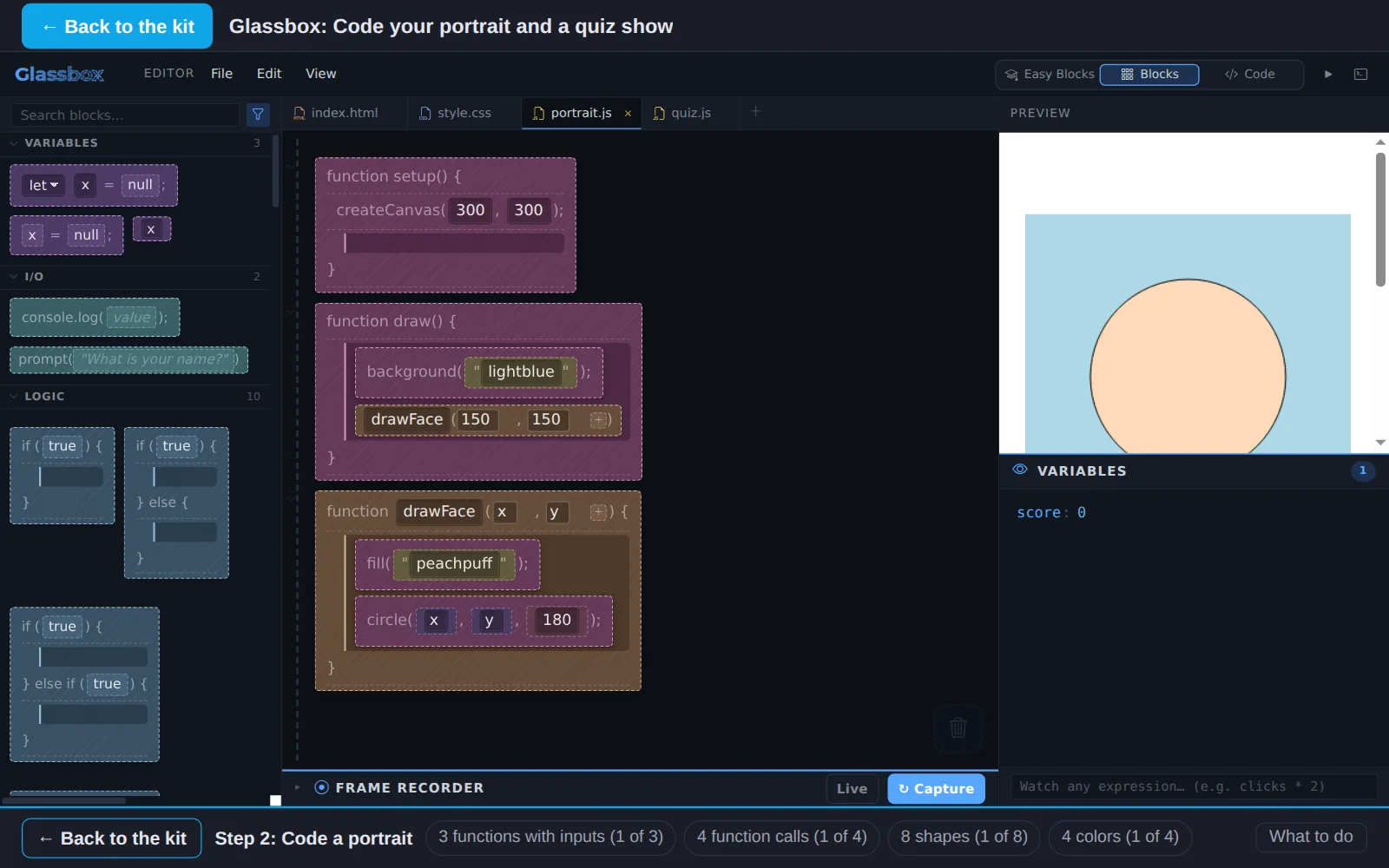
- 2Code a portraitIn GlassboxNow code it. Your portrait.js already has an example: drawFace(x, y) draws the face wherever you tell it. Add functions of your own for the other parts.
- 3Learn computer logicRead and quizComputers decide with true and false. Learn the logic every program uses: comparisons, AND, OR and NOT.
- 4Use IF statementsIn GlassboxAn IF statement lets a program choose. Make your portrait react: one face when the mouse is pressed, another when it is not.
- 5Create a quiz show with logicIn GlassboxPut it together: a quiz show about you, under your portrait. Visitors pick answers, IF statements check them, and the score counts up.
Work on a computer. The apps need a keyboard and a bigger screen than a phone: a laptop, desktop or Chromebook. You can pay here and open the emailed link on the computer.
One learner
Unlock the kit, $5
- All 5 steps, worked on screen, with a lesson you can print if you like paper
- Glassbox activities that check the work as it is done
- A numbered certificate with a page of the learner's own work: your portrait plan, your logic notes and your quiz questions
Have a discount code?
Co-ops and classes: unlock it for a group
One payment and one code. Each learner types the code to unlock the kit on their own computer, and gets their own certificate at the end. Your pack page shows who has started and finished.
See a sample certificate (PDF) · Already paid? Find your link