Make a game, a robot, a song. In the next minute.
82 of the 129 making apps on the platform, each ready to try in a browser tab. Each one opens on something already built, so a student starts by changing it, not staring at a blank screen, and each comes with a page for the adult: what they are learning, a class activity, and how to tell it landed.
For younger students, start here
Three good first picks for ages 7 to 12: quick to start and hard to put down. Homeschooling? See tech ed by age for your family. Teaching history, English or science? See projects for your subject. Teaching high school, IT or computer science? Start with the Linux terminal and servers.
 Animation and code
 Creature Lab
Free in the browser, no account. Shape a body, add fins or legs, program its brain, and watch one rule turn into swimming.
Try it free, no account Game making
 GameBuilder
Free, no account. Start from a finished level, change it, press Play. Then look at the code that runs it.
Try it free, no account Art and animation
 PixelArt
Free, no account. Starts on a walking mushroom in four frames. Recolor it, redraw it, make it move.
Try it free, no accountFor every subject, not just computer class
You do not have to teach technology to use these. The subject is yours, and the app is how students show what they understood.
For computer science and IT classes
A Linux terminal, a cloud lab where students run their own servers and websites, and a desktop that ties them together, all with a free account; a free class covers up to 50 students. The terminal, CryptoLab, Python Lab, Database Designer, Neural Network, Network Simulator and PC Workshop open right here with no account. Teaching IT, networking or computer science? See what it covers.
Every activity gathered by topic and grouped by unit, most with no account: computer science fundamentals, programming, cybersecurity and networking, Linux and operating systems, cloud and system design, and hardware and electronics.
 Computer science and IT
More than 170 commands, bash scripts, vim, git, SSH to their own servers, CTF challenges and CCST practice. Free for classes.
Try it free, no account Cybersecurity
Ten beginner to advanced cybersecurity challenges in a real Linux terminal, and a way for students to write their own. Free, nothing to install.
Try it free, no account Cybersecurity
 CryptoLab
Free, no account. Type a password, press one button, and watch a list of common passwords find it by hash.
Try it free, no account Computer science and IT
Servers, websites, databases, load balancers, DNS and a class network, in a browser tab. Free for classes.
See everything it does Computer science and IT
A Plasma-style desktop that shares its files with the terminal, plus retro machines from a teletype to Windows XP. Free for classes.
See everything it does Computer science and IT
A teletype, a Commodore 64, MS-DOS, Windows 98, XP, a classic Mac and more, in the browser. Free, no account.
See everything it does Computer science and IT
 Python Lab
Free, nothing to install. Change one number in a short turtle program, press Run, and the drawing changes.
Try it free, no account Computer science and IT
 Database Designer
Free, no account. Open a school's clubs database, add a table, and watch the SQL write itself.
Try it free, no account Computer science and IT
 Neural Network
Free, no code, no account. Train a neural network on a spiral, watch it fail, give it more neurons, and watch it succeed.
Try it free, no account Computer networks
 Network Simulator
Free, no install, no account. DHCP, DNS, routing, VLANs and firewalls, with every packet on screen.
Try it free, no account Computer hardware
 PC Workshop
Free, no account. Pick real parts to a budget, put them together by hand, boot it, benchmark it.
Try it free, no account Computer science and IT
A free PC troubleshooting simulator: a customer's complaint, a real 3D bench, one fault per machine. No account, no parts to buy.
Try it free, no accountShort interactive lessons and simulations
Besides the apps there are short lessons that teach one idea each, in five to ten minutes, with no account. They work as the start of a lesson, a station in a rotation, or a sub plan. The topic pages above say how to use each one in class.
By subject, with a note on how to use each one in class: game design, digital art and animation, music and sound, physics, science and engineering, and math.
Every tool
Art and animationPixelArtFree, no account. Starts on a walking mushroom in four frames. Recolor it, redraw it, make it move.
Try it free, no accountComputer hardwarePC WorkshopFree, no account. Pick real parts to a budget, put them together by hand, boot it, benchmark it.
Try it free, no accountGame makingGameBuilderFree, no account. Start from a finished level, change it, press Play. Then look at the code that runs it.
Try it free, no account Robotics and code
 BotForge
Free, no account. Start from a spinner bot, change the weapon, write the rules it fights by, and take it into the arena.
Try it free, no account Coding
 Code Editor
Free, no account. Three files, a Run button, and the page beside the code. Starts on a color swatch you change in one line.
Try it free, no account Game making
 Obby Maker
Free, no account. The lava is one line of code, and you can open it and change it.
Try it free, no account Computer science and IT
 WebDev
Free, no account. A short starter page about octopuses: change one color, press Render, and find the line of CSS that changed.
Try it free, no account Art and design
 Art Maker
Free, no account. Add a line to a glowing mandala, change the number of folds, and see what one stroke becomes.
Try it free, no account Game making
 Tilemap Editor
Free, no account. Start in Grassy Hills, bridge the water with a block of ground, then hide a layer and see what a level is made of.
Try it free, no account Music
Music BeatMaker
Free, no account. Eight drums, sixteen steps, press Play. Starts on a groove you can change in one click.
Try it free, no account Engineering
 Rollercoaster Simulator
Free, no account. Ride a coaster with a loop, watch height turn into speed, then build one of your own.
Try it free, no accountAnimation and codeCreature LabFree in the browser, no account. Shape a body, add fins or legs, program its brain, and watch one rule turn into swimming.
Try it free, no account Computer networks
 Cable Bench
A free network cabling simulator: strip, order, trim, crimp and test an RJ45 cable, punch down a jack, and repair ten faulty cables. In the browser, no account.
Try it free, no account 3D and VR
 Avatar Maker
Free, no account. Press Randomize, then choose the hair, the face and the rubber duck yourself.
Try it free, no account Robotics and code
 Drone Simulator
Free, no account. Start from a program that flies six rings, change one number, and watch the drone miss.
Try it free, no account Engineering
 3D Printer Simulator
Free, no account. Slice a little house into 165 layers, print it, then turn the infill up and see what changes inside.
Try it free, no account Robotics and code
 Robotics
Free, no account. Start from a robot that follows a black line with one light sensor, change one number, and watch it miss the curve.
Try it free, no account Art and design
 Fluid Paint
Free, no account. Paint a stroke, then drag a new color through it while it is still wet.
Try it free, no account Art and design
 Pumpkin Lab
Free, no account. Nine pumpkins, a saw in your hand, a candle inside, and a stencil at real size.
Try it free, no account Music
Music BeepBox
Free, no account. An eight-bar chiptune loop with a melody, chords, bass and drums. Click a note in and hear it.
Try it free, no account Music
Music Chime Lab
Free, no account. Drop balls into a music box ring, then switch the scale to minor and hear the same bounces turn sad.
Try it free, no account 3D and VR
 Face Lab
Free, no account. Start from the average head, press New face, and watch a list of numbers become a person.
Try it free, no account 3D and VR
 SculptGL
Free, no account. Push and puff up a sculpted owl, then start your own creature from a ball of clay.
Try it free, no account Art and design
 Hat Lab
Free, no account. Nineteen hat styles, a slider for every curve, and a real head size.
Try it free, no account 3D and VR
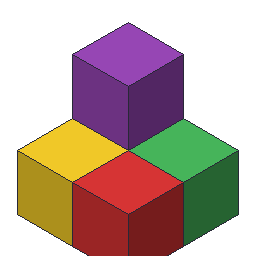 Voxel Art
Free, no account. Open a little island cottage made of 2,116 cubes, turn it around, and add your own.
Try it free, no account Science
 Drink Lab
Free, no account. Turn a shop's boba down to 50% sugar and find out it still has more than a can of soda.
Try it free, no account Space and physics
 Apogee
Free, no account. Start from a rocket and a flight program that reach orbit, pile on more fuel, and watch it fail to leave the pad.
Try it free, no account Art and design
 PC Design Lab
Free, no account. Ten kinds of machine, light along every edge, cooling you can see, nine rooms, and a light show written as sentences, blocks or code.
Try it free, no account Robotics and code
 Robotic Arm Simulator
Free, no account. Click a cube, grip it, carry it across the table, and watch the arm solve its own joint angles.
Try it free, no account Art and animation
 Fireworks Designer
Free, no account. Watch a one-minute show over a city lake, then click the sky and add a firework of your own.
Try it free, no account 3D and VR
 Terrain Studio
Free, no account. Raise the sea level and watch an island flood, then press Randomize and a new world grows from a new seed.
Try it free, no account Game making
 Bitsy
BitsyFree, no account. A frog has lost three seeds. Find them, then change what the frog says.
Try it free, no account Engineering
 Lure Lab
Free, no account. Start from a finished crankbait, change its shape, cast it into the tank, and find out why the fish follows and turns away.
Try it free, no account Game making
 nunuStudio
Free, no account. Press Run, drive a blue cube with the arrow keys, then open the short script that moves it and change it.
Try it free, no accountComputer networksNetwork SimulatorFree, no install, no account. DHCP, DNS, routing, VLANs and firewalls, with every packet on screen.
Try it free, no account 3D and VR
 RideMaker
Free, no account. Board The Haunted Voyage, put a ghost where the riders will see it, and go round again.
Try it free, no account Engineering
 Chili3D
Free, no account. Size three holes to fit your own pens, then cut them into a desk stand with one Boolean command.
Try it free, no account 3D and VR
 BlocksVR
Free, no account. Start in Gem Hunt, find the five crystals, then open one up and change the program it runs.
Try it free, no account Art and animation
 MotionMaker
Free, no account. Change one setting and a ball that fell like a brick bounces like a real ball.
Try it free, no account Computer science and IT
 Diagram Maker
Free, no account to try. Change a Guess the Number flowchart, then draw your own from a blank page.
Try it free, no account Art and design
 Shirt Lab
Free, no account. Ten shirt styles, names and numbers, and a sewing pattern at real size.
Try it free, no account Science
 Ant Colony
Free, no account. A backyard of ants, the scent trails they leave, and the rules each one follows, written as cards a student can change.
Try it free, no account 3D and VR
 Mesh2Motion
Free, no account. A fox already rigged, three animations picked. Click Walk, then go back and move a joint to see what it breaks.
Try it free, no account Art and design
 FontMaker
Free, no account. Change a letter, type your name, and read it back in a typeface you drew.
Try it free, no accountComputer science and ITPython LabFree, nothing to install. Change one number in a short turtle program, press Run, and the drawing changes.
Try it free, no accountCybersecurityCryptoLabFree, no account. Type a password, press one button, and watch a list of common passwords find it by hash.
Try it free, no account Engineering
 Shoe Lab
Free, no account. Swap one part of a court shoe and watch the rain get in somewhere else.
Try it free, no account Computer science and IT
Free, no account. Flip two switches on a staircase light and find out which logic gate makes it work.
Try it free, no account Art and design
 Mask Lab
Free, no account. Twenty-three masks to start from, eyes that land on the eyes at every size, a check that you can see out, a stage light, and a card template to print and cut.
Try it free, no accountComputer science and ITDatabase DesignerFree, no account. Open a school's clubs database, add a table, and watch the SQL write itself.
Try it free, no account Engineering
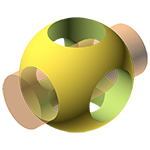 OpenSCAD
Free, no account. Change one number in a name keychain's code and watch the whole tag rebuild around it.
Try it free, no account Music
Music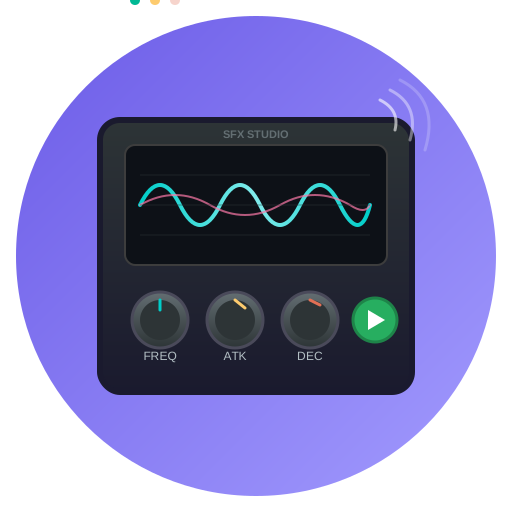 Sound Effect Studio
Free, no account. Turn a laser that fires into one that charges up by moving a single slider.
Try it free, no account Art and design
 Excalidraw
Free, no account to try. Rearrange a hand-drawn water cycle, then draw your own diagram from a blank page.
Try it free, no account 3D and VR
 SceneMaker
Free, no account. Press a big red button, make a gem watch your cursor, and never write a line of code.
Try it free, no accountComputer science and ITNeural NetworkFree, no code, no account. Train a neural network on a spiral, watch it fail, give it more neurons, and watch it succeed.
Try it free, no account Game making
 PuzzleScript
Free, no account. Push flower pots into the sunlight, then change the one line of code that makes pushing work.
Try it free, no account Science
 Aquarium
Free, no account. Cycle the filter, stock the fish, watch the water, and give each fish a brain of its own. A tank is a pet that can be explained.
Try it free, no account Game making
 ParticleFX
Free, no account. Take a campfire apart layer by layer, flip gravity on the sparks, and fire it once the way a game would.
Try it free, no account Robotics and code
 RedRover
Free, no account. Start from a program that drives to a science target and drills a sample, then switch to the Mars link and uplink it as a sol plan.
Try it free, no account Science
 Storm Lab
Free, no account. Thunderstorms, tornadoes, hurricanes and winter storms, worked out from the same numbers forecasters use.
Try it free, no account Art and design
 Dragon Lab
Free, no account. Eight kinds of dragon, wings of skin or feathers, fire, frost or bubbles, a walk and a wingbeat you program, and a card that does the math on flight.
Try it free, no account Music
Music Strudel
Free, no account. A drum beat, a bass line and a melody, one line each. Change a line and hear it.
Try it free, no account Computer science
 Burger Lab
Free, no account. Twenty layers to stack, a thermometer that decides when the patty is done, and a lunch rush to run by rules or by code.
Try it free, no account Game making
 Escape Room
Free, no account. Sketch the room, hide the clues, and let the maker prove it can be escaped. Then time a friend.
Try it free, no account Art and design
 miniPaint
Free, no account. A star party poster built from layers: hide one, recolor the moon, change the words.
Try it free, no account Computer science and IT
 Help Desk
Free, no account. Find the cause on someone else's computer, then ask them to try again.
Try it free, no account Science
 Aquaponics Lab
Free, no account. Build the system, stock the fish, plant the bed, and watch the nitrogen move on every arrow of the loop. Harvest in pounds.
Try it free, no account Engineering
 SketchForge
Free, no account. Put a hole inside a solid, press Group, and a cylinder becomes a pencil cup you could print.
Try it free, no account Game making
 Tower Defense Maker
Free, no account. Nine towers, eleven enemies, a wave director, spells and level rules, every one a program a student can read and change.
Try it free, no account Science
 Map Story
Free, no account. Fly around the Ring of Fire in four stops, then add a stop of your own.
Try it free, no account Science
 Dig Site
Free, no account. A trench you dig by hand, finds that come out of the soil a little at a time, layers that read as history, and a report with the evidence attached.
Try it free, no account Art and design
 SVG-Edit
Free, no account. Rename a club badge, move its sun, then open Edit Source and change the same sun by typing one number.
Try it free, no account Robotics and code
 LawnBot
Free, no account. Eleven short missions teach sensors, if and else, variables and state, in blocks or JavaScript.
Try it free, no account Engineering
 Racer Lab
Free, no account. A block car down a 32 foot track, timed to the thousandth, with a picture of where every bit of energy went. Then a mousetrap car, a balloon car, a rubber band car and a CO2 dragster.
Try it free, no account Computer networks
 Fiber Bench
A free fiber optic lab: strip, cleave and fusion splice, then test with a power meter, red light, scope and OTDR, and fix ten broken links. In the browser, no account.
Try it free, no account Coding
 Pseudocode Tracer
Free, no account. Paste exam-style pseudocode, press Step, and watch what every line does.
Try it free, no account Engineering
 Tire Lab
Free, no account. Grooves, hydroplaning, mud, sand, snow and the hum of a tire, worked out from the tread a student carves.
Try it free, no account Game making
 Endless Runner Maker
Free, no account. Hop across roads and rivers or run three lanes at speed, build the pieces, write the mix, and let a bot prove the game can be played.
Try it free, no account Robotics and code
 Garden Lab
Free, no account. Plan the bed, live through a season of weather, and write the robot's program in blocks or code. Then beat your own harvest.
Try it free, no account Game making
 Night Watch
Free, no account. Paint the floorplan, set the cameras and doors, give each creature its rules, and publish the night. Scary in the good way, with no gore in the kit.
Try it free, no account Science
 Wind Lab
Free, no account. The push of the wind on a scale, a shape of your own, a street in a gale, and a wind turbine, worked out from the drag equation and the Weather Service's own scales.
Try it free, no account Art and design
 Shield Lab
Free, no account. Eight shields, heraldry's real rules, the blazon written out, and a cardboard template at real size.
Try it free, no accountAnd 47 more inside a free account
The tools above are the ones with a guided demo and a page for the adult. A free account opens every app on the platform, 129 in all, and keeps everything a student makes in them.
Art & Design
 Meme Builder
 Spin Art
 LightUp
 Dungeon Map Maker
 Comic Maker
 Fantasy Map Generator
 Graphite
 Image Editor
 City Map Generator
 GIF Studio
 Folds
Folds
Engineering
 IsoCity
 CircuitSim
 Train Simulator
 Bridge Designer
 Gears
Gears LeverLab
 Circuit Construction Kit
Science
 Science Lab
 Solar System Sim
 Ketcher
 Optics Lab
 MolView
 Graphing Lab
 Night Sky Lab
Music & Audio
 Melody Maker
 Synthesizer
 Signal
 ChordMaker
 SongArranger
 Sheet Music Maker
Data & AI
 Document
 Data Playground
 Data Tree
 Kepler
 Spreadsheet
Coding
 Snap!
Snap! Glassbox
 QR Lab
 SQL Designer
Game Dev
 Bot Bash
 Twine
Twine Rumblebots
3D & Modeling
 3DMaker
 Blockbench
 BlocksCAD
Robotics
 micro:bit Lab
Who makes this
mytekDev is built by MYTEK Lab, a technology education organization that teaches students in grades 3 to 12 through live online classes, for homeschoolers, charter schools and learning programs in 24 countries. These are the same tools its students use in class. More than 17,000 projects have been made on the platform so far.
Common questions
Do I need an account to use these?
No. Every tool listed here opens in your browser and runs immediately, and your work is kept in the browser tab while you experiment. An account is what makes a project survive closing the tab, and what lets a class share work with each other.
Are these free? What is the catch?
The tools are free to use, with or without an account, and a free account keeps everything a student makes. Paid plans add more storage, more public shares a day, project history and no watermark on shared work, with family and classroom bundles; every plan, including the free one, has every app. The pricing page lists exactly what each includes.
What devices do they work on?
Any computer or Chromebook with a current browser, and nothing to install. Most are easier with a mouse. The 3D tools need a computer with 3D graphics, which almost every one made in the last several years has. A few work on a tablet, and phone screens are too small for most of them.
Is it safe for my child?
There are no ads, no tracking and no selling of data, and the platform follows the children's privacy law (COPPA). A student's work is private unless they or their teacher choose to share it, there is no private messaging, and younger students appear by username only. The privacy policy has the details.
Can I see what my child has made?
Yes. With a free account every project is saved, and a parent account can be linked to a child's account to see their projects and control what they share. Teachers see their whole class from a classroom dashboard.
Can I use these in a homeschool co-op or a microschool?
Yes, and that is who most of these pages are written for. A free teacher account covers up to 50 students, and several of the apps have a shared mode where a whole group puts their work into one space and watches what happens.
What ages are these for?
Most sit comfortably from around age 8 through high school. Each tool page lists its own age range, how long a session takes, and what a student is actually learning while they use it.
Still have a question? Ask us, and a person will write back.
There is a lot more behind the login
The demos above are 82 of 129. A free account opens the full set of making apps, saves work between sessions, and lets a class share projects with each other. Teachers and co-op leaders get a classroom for up to 50 students at no cost. How to set one up, step by step.
Google, Google Classroom and Chromebook are trademarks of Google LLC.