Free cloud and system design activities for your class
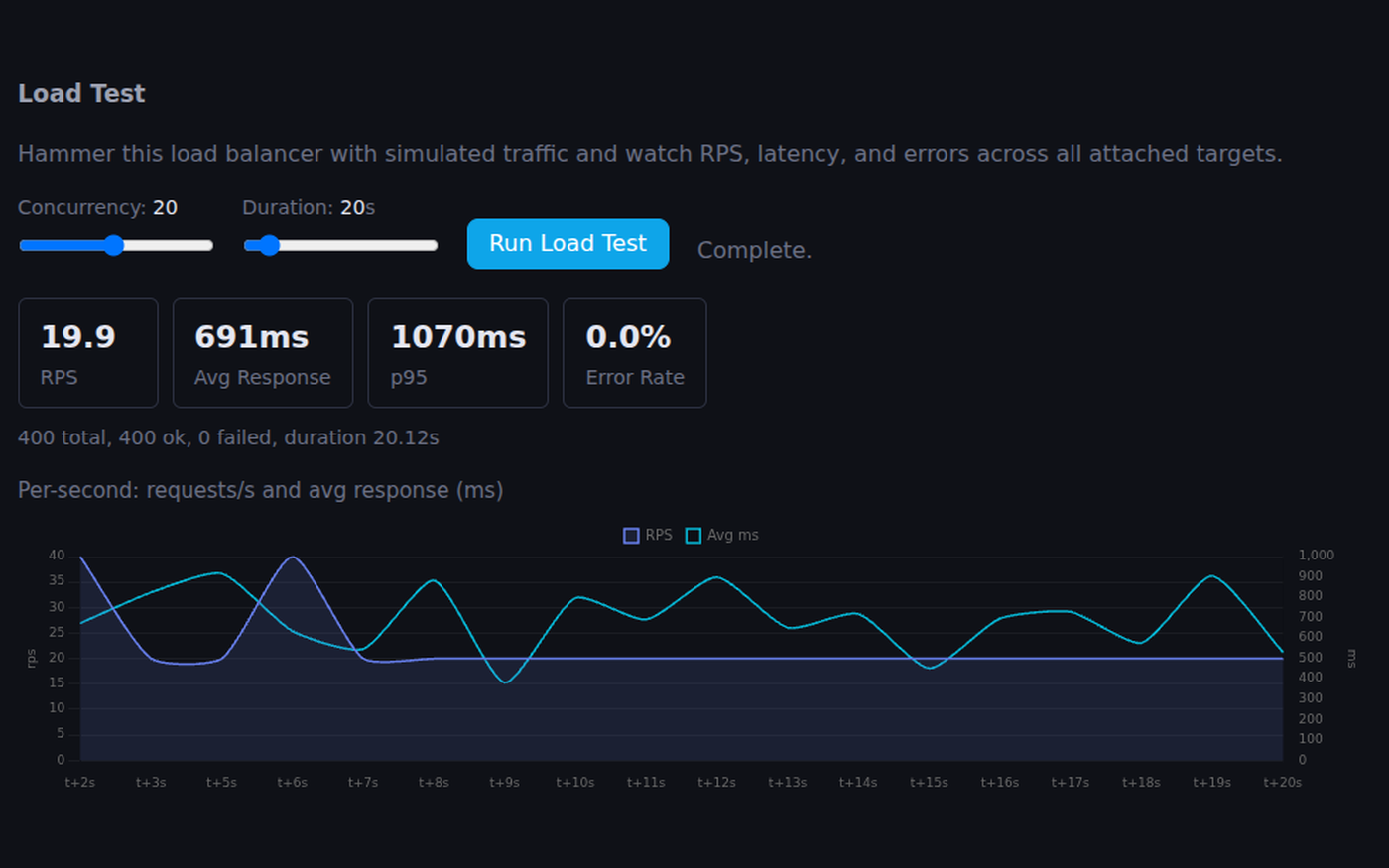
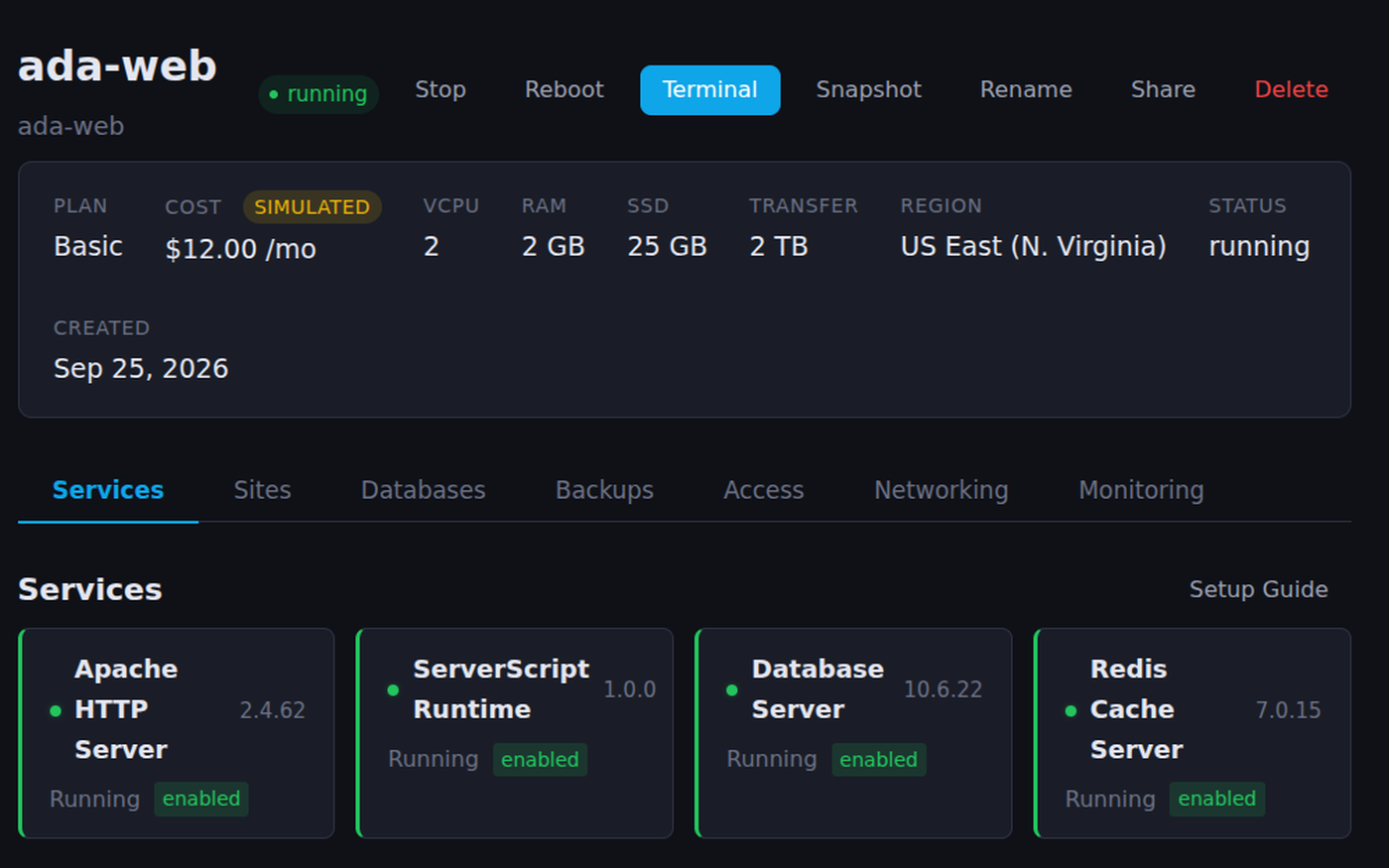
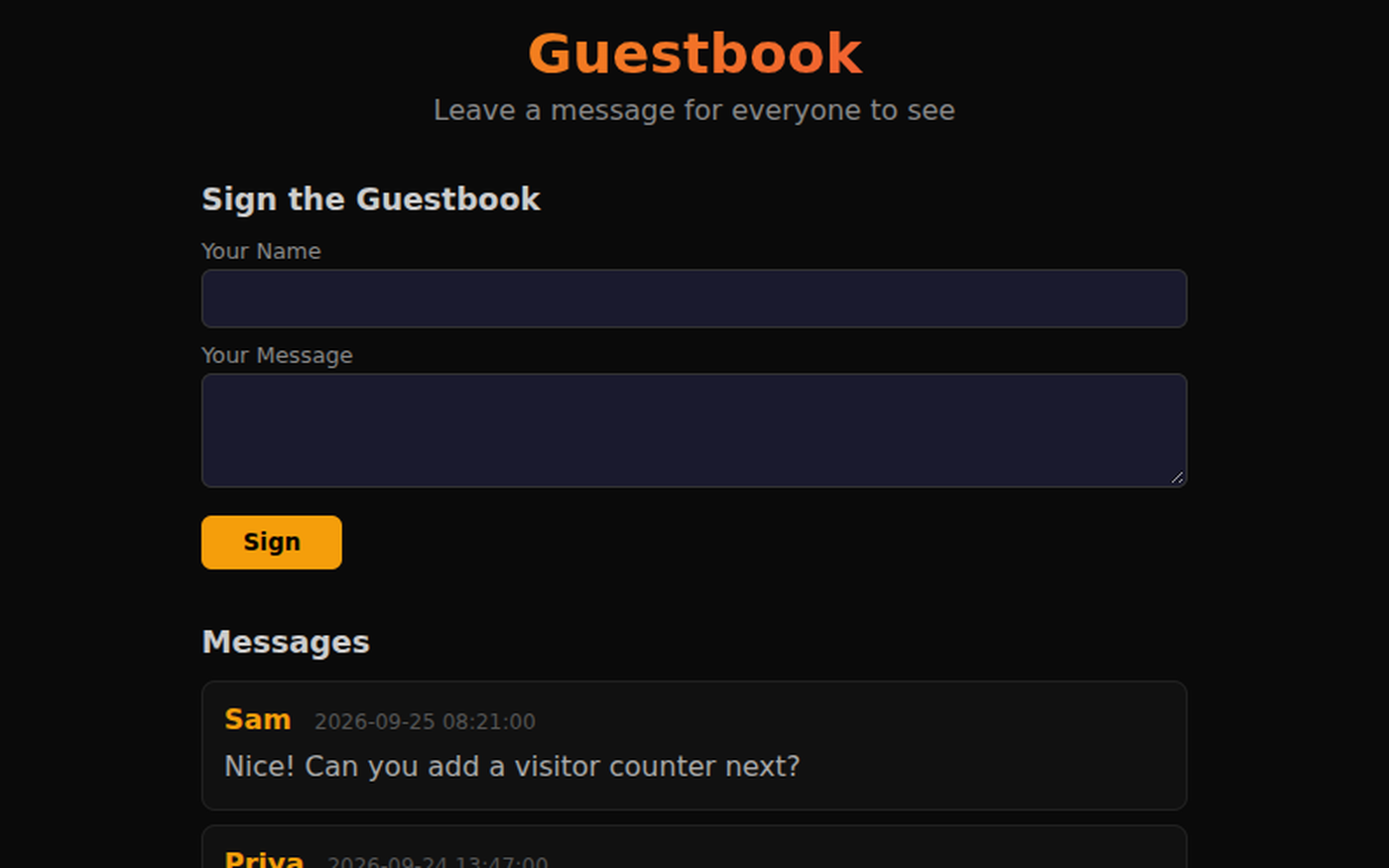
Teaching the cloud usually means a credit card, a student account on a real provider and a bill nobody wants to explain. Here each student gets their own servers in a browser tab: they install a web server, a database and a cache from the terminal, put a site on a real address, put a load balancer in front and load test it. Costs are shown so they learn what infrastructure costs, and nothing is ever billed. Around that are short guided walkthroughs on how servers, databases, caching and scaling work, grouped the way a course runs, each with a line on what it is good for in class.
Click any picture to see it full size.
Servers and the web
What happens between typing an address and seeing a page.
The first lesson: send requests, see the services on a server, and how virtual servers share one machine.
Send HTTP requests, explore server services (web/app/db/OS), and visualize virtual servers sharing physical hardware.
Guided walkthrough · 5-8 min How the Web Works: HTML, CSS & JavaScriptHTML, CSS and JavaScript as layers students can switch on and off.
Toggle HTML, CSS, and JS layers on and off, restyle the same page with 4 CSS themes, and write interactive JavaScript with live preview.
Guided walkthrough · 3-5 min How APIs WorkStudents send real API requests and read the responses, before they build one.
Discover how apps talk to servers — send real API requests and see live responses
Guided walkthrough · 5-8 min DNS: The Internet's Phone BookHow a name becomes an address, record types, and what TTL trades away.
Watch DNS resolution step by step, explore record types (A, CNAME, MX, TXT) with zone file examples, and adjust TTL to understand caching trade-offs.
Guided walkthrough · 5-8 min Regions & Latency: Why Location MattersPing cities around the world and see why where a server lives matters.
Ping cities worldwide from your server, compare regions, and see how distance determines latency with real distance calculations.
Data and databases
Tables, queries, and where data is kept so it is fast and safe.
Why data goes into tables at all. A good opener for younger or non-technical classes.
Discover how databases transform scattered information into organized tables.
Guided walkthrough · 5-7 min How Apps Remember YouEveryday apps as linked tables, ending with students designing their own.
Every app you use remembers people, scores, and messages the same way: as rows in tidy tables that link together. Learn how data is really organized, then design your own database.
Free app, no account Database DesignerDraw tables and relationships and watch the SQL write itself. No account needed.
Free, no account. Open a school's clubs database, add a table, and watch the SQL write itself.
Guided walkthrough · 5-8 min SQL Basics: Talking to DatabasesSELECT, WHERE and ORDER BY on sample data, then the four CRUD operations.
Run preset queries against sample data, write your own SELECT/WHERE/ORDER BY, and learn CRUD operations.
Guided walkthrough · 5-8 min Caching: Why Speed Needs MemoryCached against uncached requests, and a Redis simulator to try keys and values.
Compare cached vs uncached requests, explore the speed hierarchy from CPU to network, and use an interactive Redis key-value simulator.
Guided walkthrough · 5-8 min Storage: Files, Volumes & the CloudLocal disks, block volumes and object storage, and when to use each.
Compare local SSD, block volumes, and object storage. Explore a server file system and learn when to use each type.
Guided walkthrough · 3-5 min The Scale of DataFrom bits to exabytes, for a sense of why any of this has to scale.
From bits to exabytes - visualize just how much data exists.
Scaling and architecture
What changes when one server is not enough.
Overload one server, then spread the traffic across three and compare the algorithms.
Overload a single server, then distribute traffic across three with round-robin, least-connections, and random algorithms.
Guided walkthrough · 5-8 min System Architecture: How Apps ScaleWatch a single server grow into a production stack, and trace one request through it.
Watch architecture evolve from single server to full production stack. Trace a request through CDN, LB, app, cache, and database.
Guided walkthrough · 6 min How Multiplayer WorksReal-time connections, latency and prediction, through the thing students already play.
Explore the hidden mechanics behind online multiplayer games: from polling vs real-time connections, to the latency problem, client vs server authority, and prediction techniques that make games feel smooth.
Guided walkthrough · 3-5 min How Video Streaming WorksHow a movie gets to a screen: a short case study to discuss.
How Netflix gets a movie to your screen.
Guided walkthrough · 5-7 min How Search Engines Work: Crawl, Index, RankCrawl, index and rank: a system that works at the largest scale there is.
Explore the three big ideas behind every search engine: web crawlers that walk billions of pages, inverted indexes that turn queries into instant lookups, and PageRank that uses links as votes to rank the best results first.
Running it for real
Keeping a system healthy, and getting it back when it breaks.
Each student's own servers, databases and load balancers for the whole unit, with simulated costs and nothing billed.
Servers, websites, databases, load balancers, DNS and a class network, in a browser tab. Free for classes.
Guided walkthrough · 5-8 min Monitoring: Is My Server Healthy?Watch CPU, memory and errors, add load, crash the server and see the health checks respond.
Watch live server metrics (CPU, RAM, requests, errors), add load, crash the server, and see health checks respond in real time.
Guided walkthrough · 5-8 min Snapshots & Backups: Saving Your InfrastructureSnapshot a server, break it, restore it, and learn the 3-2-1 rule.
Take snapshots of a live server, break it, then restore. Learn the 3-2-1 backup rule and real-world disaster stories.
Guided walkthrough · 5-8 min Designing for Failure: Building Resilient SystemsKill components in a fragile design and a redundant one, and compare what users see.
Compare fragile vs redundant architectures by clicking to kill components. Learn graceful degradation, circuit breakers, and chaos engineering.
Free account Linux TerminalThe terminal students set their servers up from, with SSH, apt and systemctl.
A real command line, with a filesystem and logs, in a browser tab.
Using it with a class
The guided walkthroughs open with no account and take five to eight minutes, so they work as the start of a lesson or as homework. System Design Lab and the terminal need a free account, and a free class gives every student one without an email address. Nothing runs on a real cloud provider, so there is no card, no bill and no forgotten server running up charges over the summer.
- A design challenge with numbers: every student builds a site behind a load balancer, runs the same load test, and defends their design with the response times.
- Break it on purpose: take a snapshot, have a partner break the server, then restore it and write down what the backup saved.
- Budget as a constraint: the simulated monthly cost is on the dashboard, so the best design is the fast one that costs the least.
In short
These are free activities for cloud computing, web development and system design courses in high school and introductory college: students run their own simulated servers with a web server, a database and a Redis cache, publish a site, load test it behind a load balancer and watch the monitoring, and guided walkthroughs cover what a server is, DNS, SQL, caching, storage, regions and latency, scaling, backups and designing for failure. It runs in the browser with no cloud account and no bill.
Common questions
Do students need a cloud account or a credit card?
No. The servers are simulated inside the platform. Students see realistic simulated costs so they learn what infrastructure costs, but nothing is ever billed to anyone.
Do students need an account?
Not for the guided walkthroughs or Database Designer; those open in the browser with no sign-up. System Design Lab and the terminal need a free account, and a free class of up to 50 students needs no student email addresses.
Are the servers real?
They behave like real Linux servers, set up from a terminal with the usual commands, and a student's site is served at a real address that anyone can visit. Underneath they are a simulation run by the platform, so a mistake cannot harm anything and there is nothing to maintain.
What courses does this fit?
Cloud computing, web development, databases, IT and computer information systems courses in high school and college, and the systems unit of an AP or introductory computer science course.
Still have a question? Ask us, and a person will write back.
Start with a free class
Everything above opens with no account. A free class adds your students, each with a username and password and no email needed, so their progress and the terminal work are kept.
Page last reviewed September 2026.