A Linux terminal for every student, in a browser tab
Most students meet the command line for the first time in a job or a certification exam, and it feels like being dropped in a foreign country. This terminal is where they learn the language first. It behaves like a Linux shell: the same commands, the same flags, the same error messages, with pipes, redirection, permissions, scripts and editors. Nothing to install, no lab machines to image, and nothing a student types can break a real computer. Every student gets their own, with their own files, from the first day of class, and anyone can try it on this page first with no account.
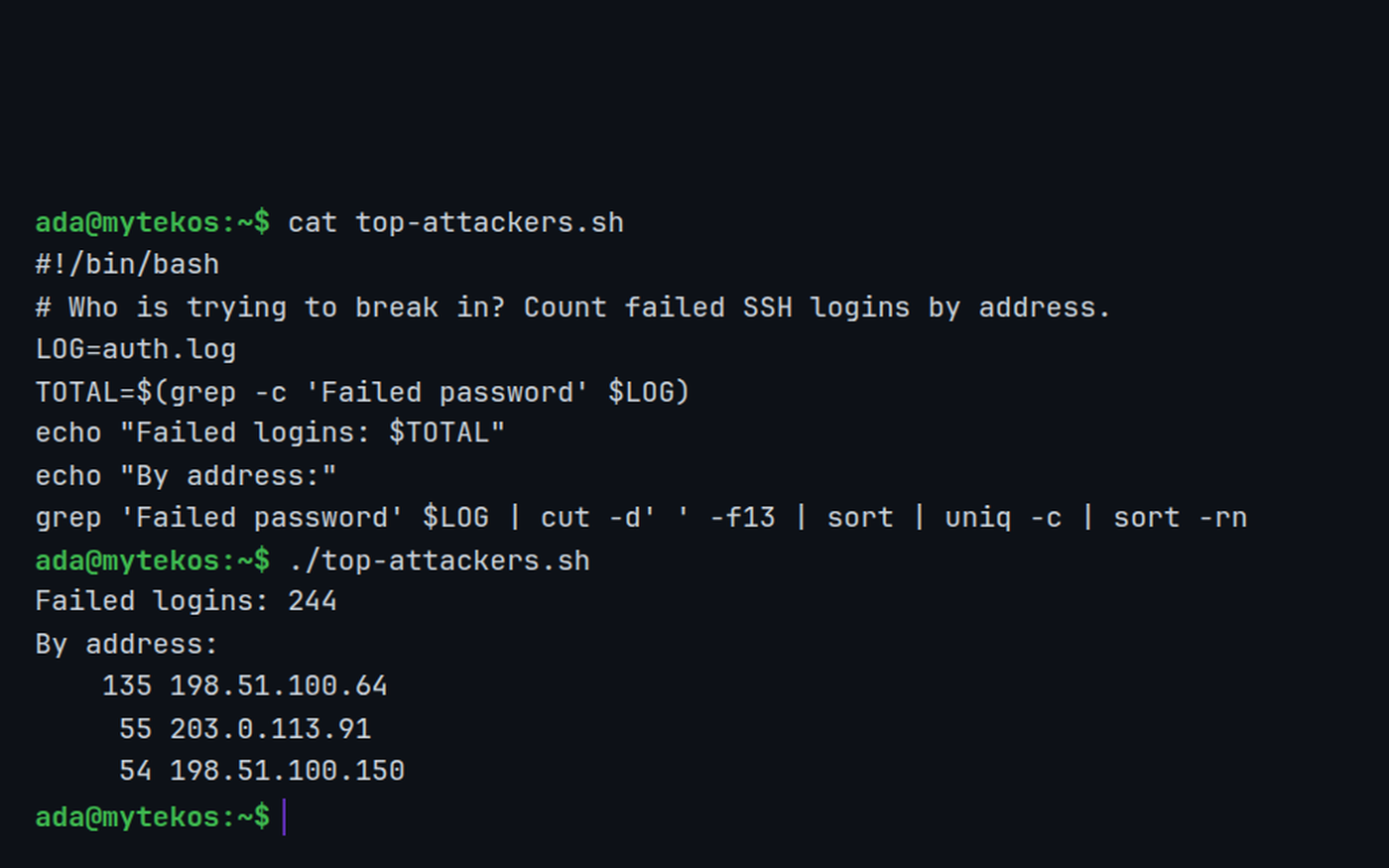
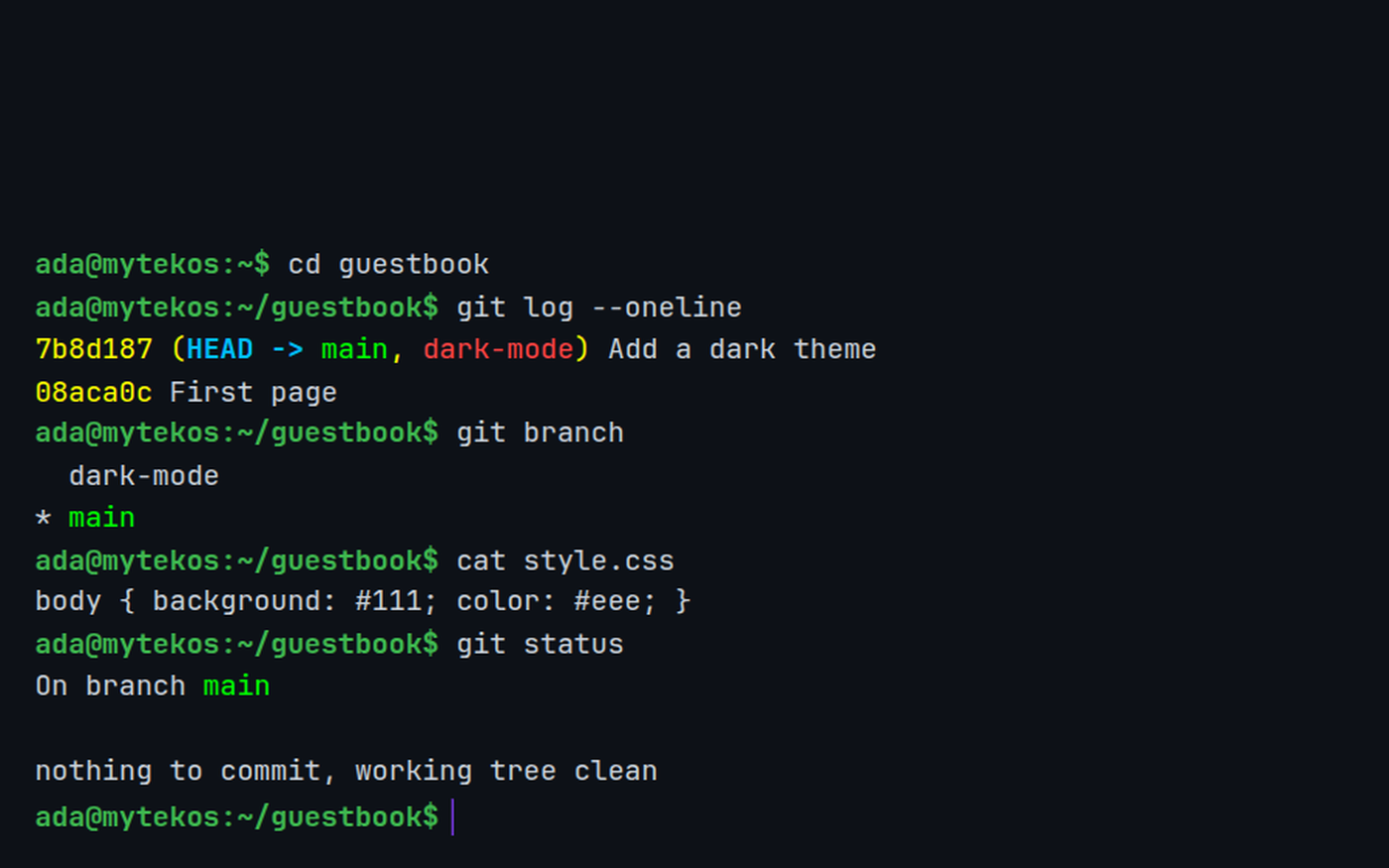
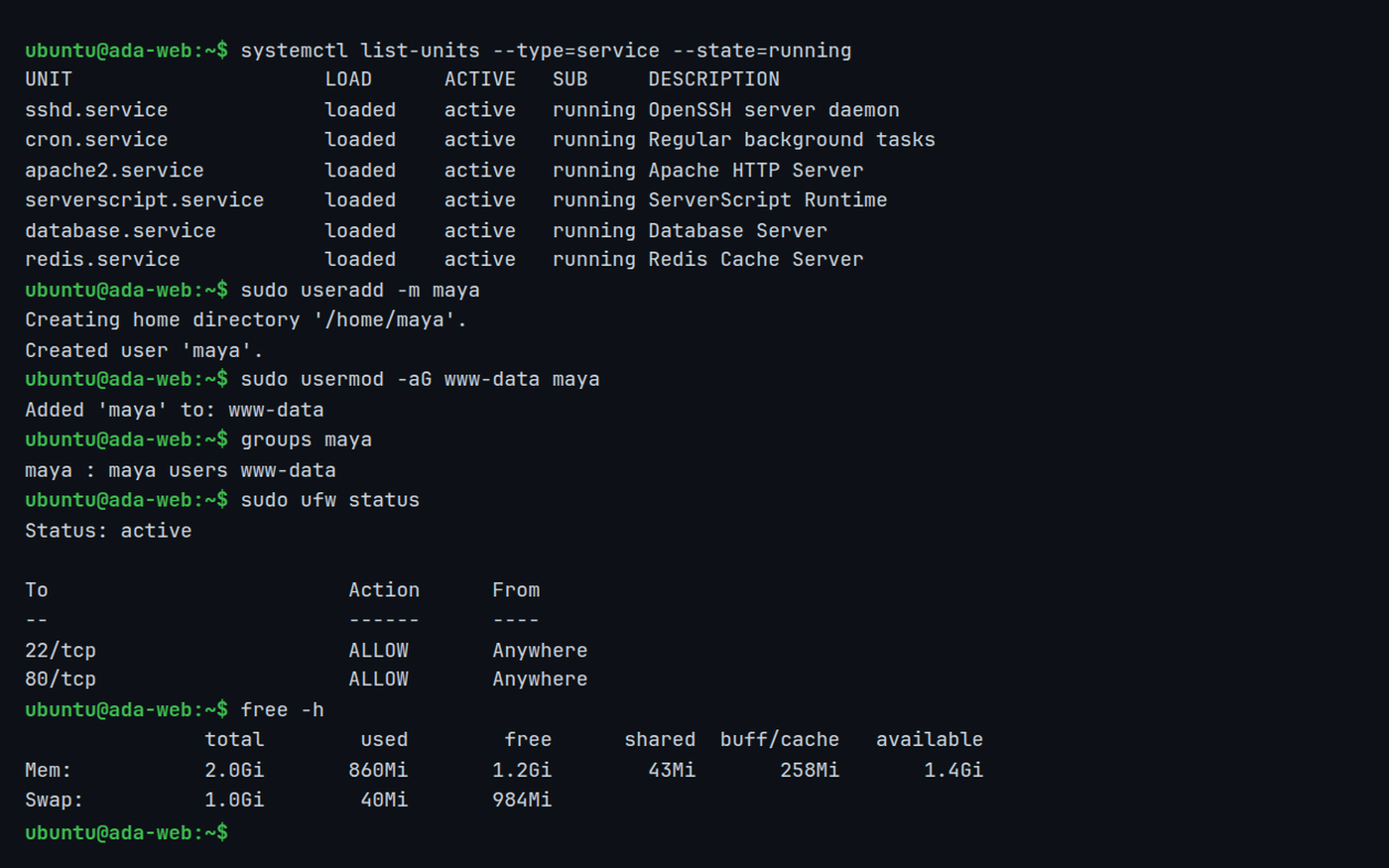
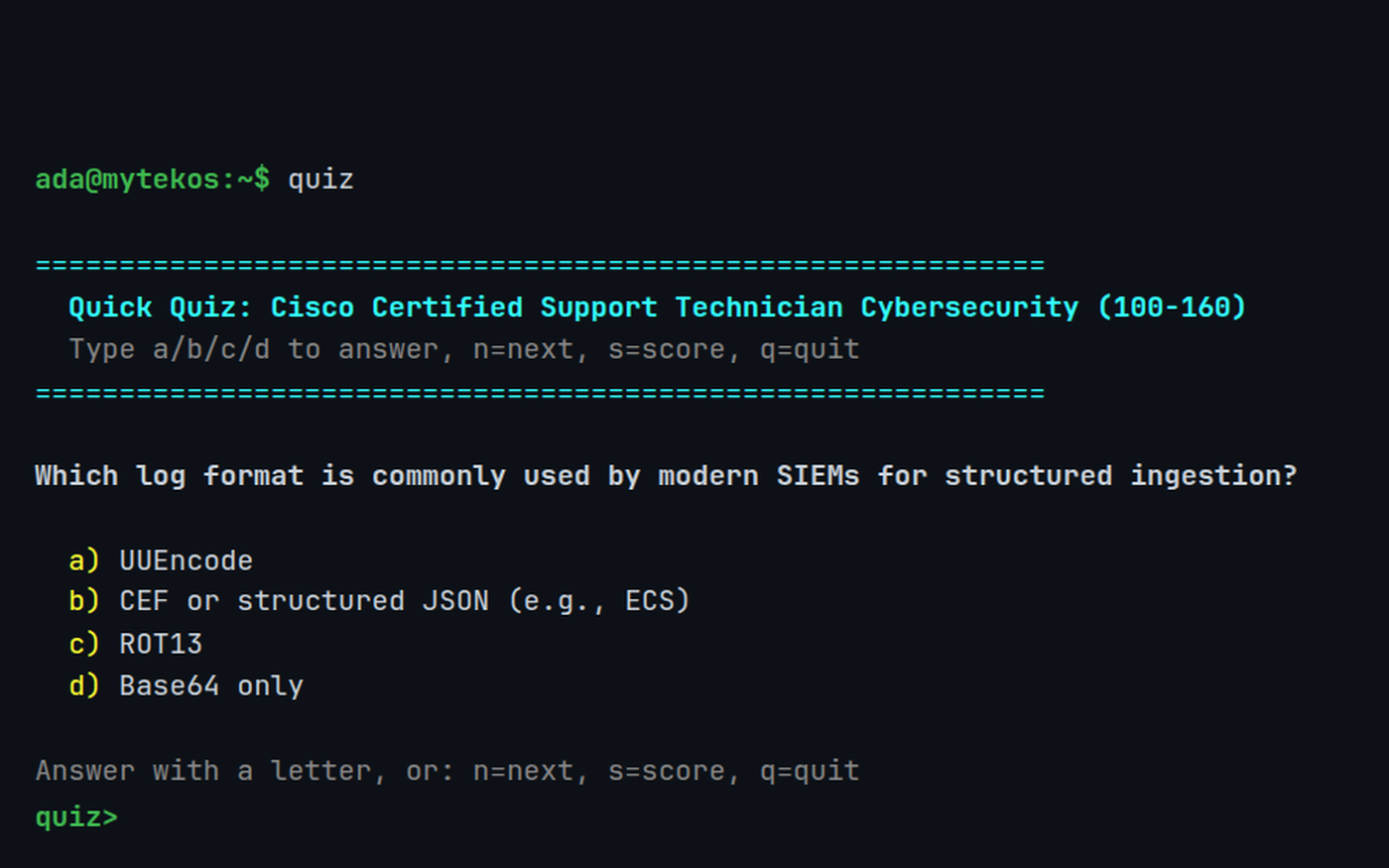
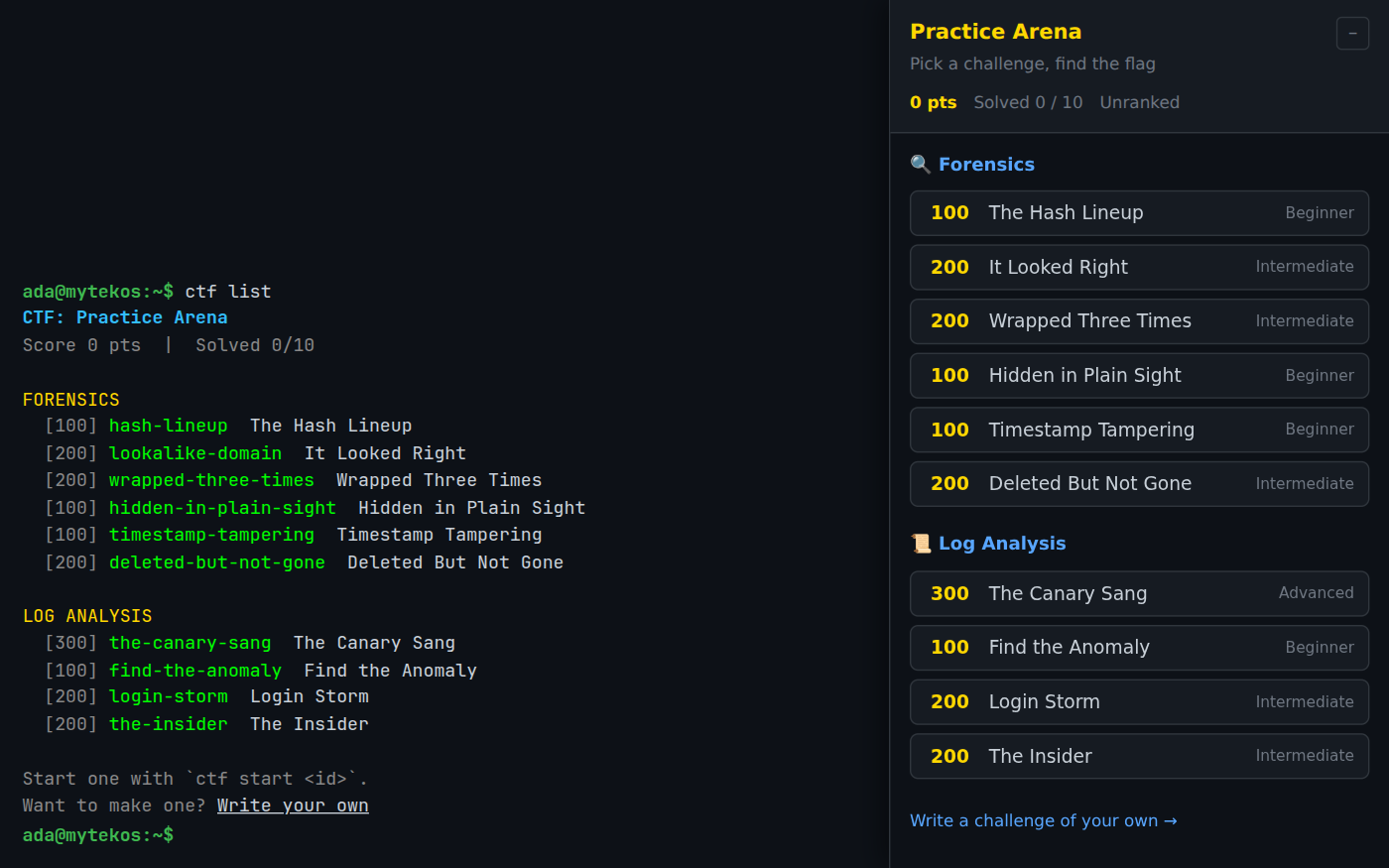
Screenshots from a showcase account. Click any picture to see it full size.
Using this with a class? Make a free class and add your students yourself: each gets a username and password, with no email or Google account needed. Or give them one join code.A first lesson: Hand out a file of a thousand fake log lines in ~/shared and ask one question, how many failed logins came from each address, that only a pipeline can answer in one line.
Set up a free classWhat a student actually does
They type ls and see their own files. Then mkdir, cd, nano notes.txt, and a file they wrote exists. Within a lesson they are chaining commands with pipes, cat access.log | grep 404 | wc -l, and the question stops being which button to press and becomes which small tool does which job. When they get it wrong the shell says so the way real Linux does, and man and --help are there on almost every command.
From there it keeps going as far as a course does. Bash scripts with variables, loops and functions. chmod and file permissions. crontab to run a job every minute. apt install to add vim, git or python. Real git: branches, commits, merges and stashes. And ssh into a server of their own in System Design Lab, where they manage users and groups, start services with systemctl, open a firewall and read logs in /var/log, the same work a junior system administrator does.
Everything in it
It is a simulation, built to behave like a Linux shell rather than to be one: files live in the student's account, not on a disk, and system directories such as /etc and /proc are generated. Within that, the aim is fidelity, so what a student learns here transfers to a real machine.
Files and the file system
- ls, cd, pwd, mkdir, touch, cp, mv, rm, rmdir, tree, find, stat
- cat, head, tail, less, wc, diff, du, df
- Links with ln and readlink, archives with tar and gzip
- A shared trash with the desktop's file manager
Text, pipes and redirection
- grep with -r and -E, sed, cut, tr, sort, uniq, nl, tee, xargs
- Pipes, > and >>, wildcards and $VARIABLES
- A pipeline engine that chains close to fifty commands
- A regex trainer for practicing patterns
The shell itself
- history and !n, alias, export, env, which, type, source
- man pages and --help on almost every command
- An editable /etc/profile and prompt, with themes
- Tab completion
Scripting and scheduling
- Bash scripts with #!/bin/bash and chmod +x
- Variables, if and elif, for and while loops, functions, command substitution
- crontab to schedule jobs
- ps, top, htop, kill, uptime, free, uname, dmesg
Editors, tools and packages
- nano, and vim with search and replace
- tmux with split panes
- apt and dpkg: installing a package unlocks its commands
- git: init, add, commit, log, diff, branch, switch, merge, stash, reset
Nine programming languages
- Python with pip, Node.js and TypeScript
- C and C++ with gcc and g++
- PHP, Ruby, Lua, Scheme and BASIC
- Write the file in nano or vim, run it from the prompt
Networking and servers
- ping, traceroute, nslookup, curl and wget
- ssh, ssh-keygen and ssh-copy-id into the student's own servers
- On a server, about 120 more commands: useradd, usermod, passwd, sudo, chown, chgrp
- systemctl, journalctl, firewall rules, certbot, mysql, redis-cli, dig, ip, netstat
Cybersecurity practice
- Operation Lighthouse: a guided investigation of a SQL injection, from triage to containment
- Capture-the-flag challenges on hidden files, tampered timestamps, deleted evidence and login storms
- Students can write their own challenges for the class, reviewed before they go live
- quiz: 410 CCST Cybersecurity practice questions, asked right in the terminal
For the class
- Teachers hand out files through ~/shared
- raisehand sends a question to the teacher's help queue
- course shows a student's lessons, grades and class progress
- A classroom message board (BBS), from the terminal
The parts they show their friends
- startx boots a full Linux desktop
- boot opens a retro machine: a teletype, a Commodore 64, an Amiga, DOS, Windows 3.1, 98 and XP, a classic Mac
- Games: typerace, flappybird, frontiertrail
- cowsay, fortune, figlet, cmatrix and a starship's worth of easter eggs
What they are learning
Most of this is what a first IT, networking or cybersecurity course expects a student to be able to do.
| What the student does | What it is |
|---|---|
| Moves around with cd, ls and pwd | The file system hierarchy. Everything on a Linux machine lives in one tree that starts at /. Absolute and relative paths are two ways to name a place in it. |
| Chains grep, sort and uniq | The Unix philosophy. Small tools that each do one job, joined with pipes. It is how administrators answer questions about logs and data in one line. |
| Reads ls -l and runs chmod | Permissions. Read, write and execute, for the owner, the group and everyone else. Most security mistakes on a server start here. |
| Writes a script and schedules it with cron | Automation. Anything typed twice can be a script, and a script can run on its own at 2 a.m. That is most of system administration. |
| Commits, branches and merges with git | Version control. A history of every change, and a way to try something without losing what works. Every software team uses it. |
| Installs a package with apt | Package management. Software comes from repositories, with its dependencies, through one tool. That is how a server gets a web server or a database. |
| Adds users and runs sudo on a server | Users, groups and least privilege. Each person and service gets only the access it needs, and administrator power is borrowed for one command at a time. |
| Works through Operation Lighthouse | Incident response. Triage, find the way in, find what the attacker left behind, contain it. The order matters as much as the commands. |
How to tell whether it landed
Ask, and let them show you at the prompt. A student who has understood it can do these without help.
- Where are you right now, and how would you get back to your home directory from anywhere?
- Count how many lines in this log contain an error, in one command.
- Why can't another user read your file? Show me what would change that.
- Write a script that does something you do by hand every day, and make it run.
- What is the difference between > and >>, and when would one of them lose your work?
Practical notes
- AgesAges 11 through high school, and adults. Middle school students manage files and write their first scripts; high school students go on to servers, security and certification practice.
- TimeA first lesson on files and navigation takes about 45 minutes. The terminal can carry a whole semester of an intro Linux or IT course.
- EquipmentAny computer or Chromebook with a current browser. Nothing to install, no virtual machines, no lab to reimage.
- CostFree with an account. A free class holds up to 50 students.
- PrepMake a free class and add your students. Anything you put in ~/shared appears for all of them.
- In a groupEvery student has their own terminal and files, so a whole class works at once and nobody can break anyone else's machine.
For IT, cybersecurity and computer science classes
A lab of Linux machines costs money, time and a person to look after it, and a student who runs rm -rf in the wrong place costs a morning. Here every student has a terminal of their own in a browser tab, the teacher hands out files to the whole class at once, and the work carries on at home on whatever computer they have.
- More than 170 commands locally, and about 120 more on the student's own servers.
- CCST Cybersecurity practice: 410 questions, a guided investigation and CTF challenges.
- Shared files, a help queue and class progress from inside the terminal.
- No install, no per-seat license. Student work is private by default.
Common questions
Is this a real Linux machine?
No, and that is on purpose. It is a simulation that behaves like a Linux shell, with the same commands, options and error messages, but a student's files live in their account rather than on a disk they could wipe. Nothing typed here can damage a computer, and nothing needs installing or maintaining.
Is it free?
Yes. You can try it on this page with no account at all, on a guest account that is wiped when you leave. A free account keeps your files and adds servers, the security investigation and class features, and a free teacher account holds a class of up to 50 students. There is no per-seat license.
Does it prepare students for a certification?
It includes 410 practice questions for Cisco's CCST Cybersecurity certification, a guided incident investigation and capture-the-flag challenges. The commands and concepts are the ones introductory Linux, networking and security courses cover, though the terminal is not an official preparation product for any exam.
Can students write and run programs in it?
Yes. Python, Node.js, TypeScript, C and C++, PHP, Ruby, Lua, Scheme and BASIC all run from the prompt, and files are written in nano or vim.
What ages is it for?
It works from about age 11. Younger students navigate, make files and write short scripts; older students go on to permissions, servers, networking and security.
What subject can I log this as?
Most schools log it as computer science, information technology or cybersecurity. The table above lists specifically what is covered, so you can point at the evidence your records need.
Where to go next
Start with Linux Terminal
Everything on this page comes with a free account. A free class adds your students, each with a username and password and no email needed.
The Linux Terminal is part of the platform, not a separate product. It is at its best with a teacher who sets the problems and asks the questions above.
Page last reviewed September 2026.