Free computer hardware and electronics activities for your class
Hardware is hard to teach without a room full of parts, and parts break, go missing and cost money. Here students build a PC from real components and find out whether it boots, break a bulb in a series circuit to see why the others go dark, and slow a working motor down until they can watch the commutator flip the current. It all runs in a browser tab with no kits, and it is grouped from the computer itself out to the machines it controls, with a line for each on what it is good for in class.
Click any picture to see it full size.
Inside the computer
The parts of a computer, and what happens inside them.
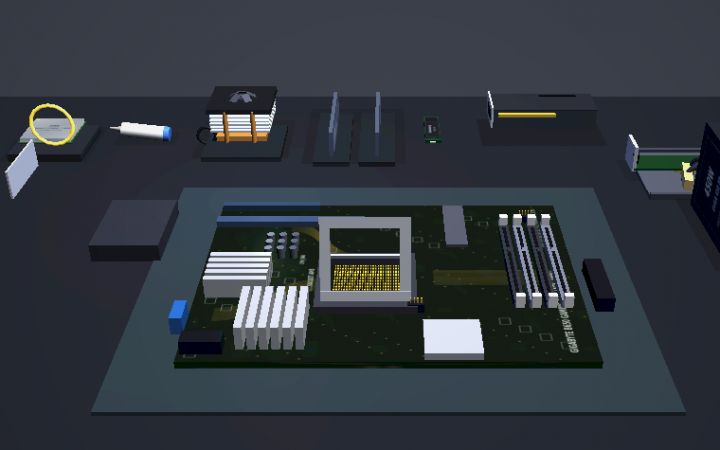
Pick parts to a budget, assemble them on a 3D bench, boot, read the beep codes if it fails, and benchmark. A finished build can become the hardware for a server in System Design Lab.
Pick the parts to a budget, build the machine, press the power button.
Guided walkthrough · 3-5 min How Memory WorksRAM, cache and storage: why the computer keeps things in three places.
RAM, cache, and storage - understand where your computer keeps things.
Guided walkthrough · 5-7 min What is a Transistor: The Switch That Built the Modern WorldThe switch every chip is made of, and why transistor counts doubled for fifty years.
Transistors are voltage-controlled switches with no moving parts. Learn how one builds a NOT gate, why Moore's Law doubled transistor counts for 50 years, and just how small modern chips really are.
Guided walkthrough · 5-8 min Circuit Logic: AND, OR, NOT and the Basics of ComputingFrom switches to logic gates to a half adder: how hardware does arithmetic.
Toggle interactive logic gates, compare truth tables, and build a half-adder circuit. See how three simple operations create all of computing.
Interactive Forty Years of ComputersBoot machines from a 1972 teletype to a modern desktop and compare what changed.
From a 1972 teletype that printed on paper to the desktop you use now. Boot each machine, open your own projects on it, and watch the same ideas get reinvented over and over.
Electricity and circuits
Voltage, current and resistance, and how components connect.
Voltage as pressure, current as flow, resistance as pipe width, with Ohm's law to adjust.
Visualize voltage as water pressure, current as flow, and resistance as pipe width. Adjust Ohm's law interactively with the V=IR triangle.
Guided walkthrough · 3-5 min Introduction to ElectronicsHow a circuit works, as a short first lesson.
Learn how circuits work, understand voltage, current, and resistance.
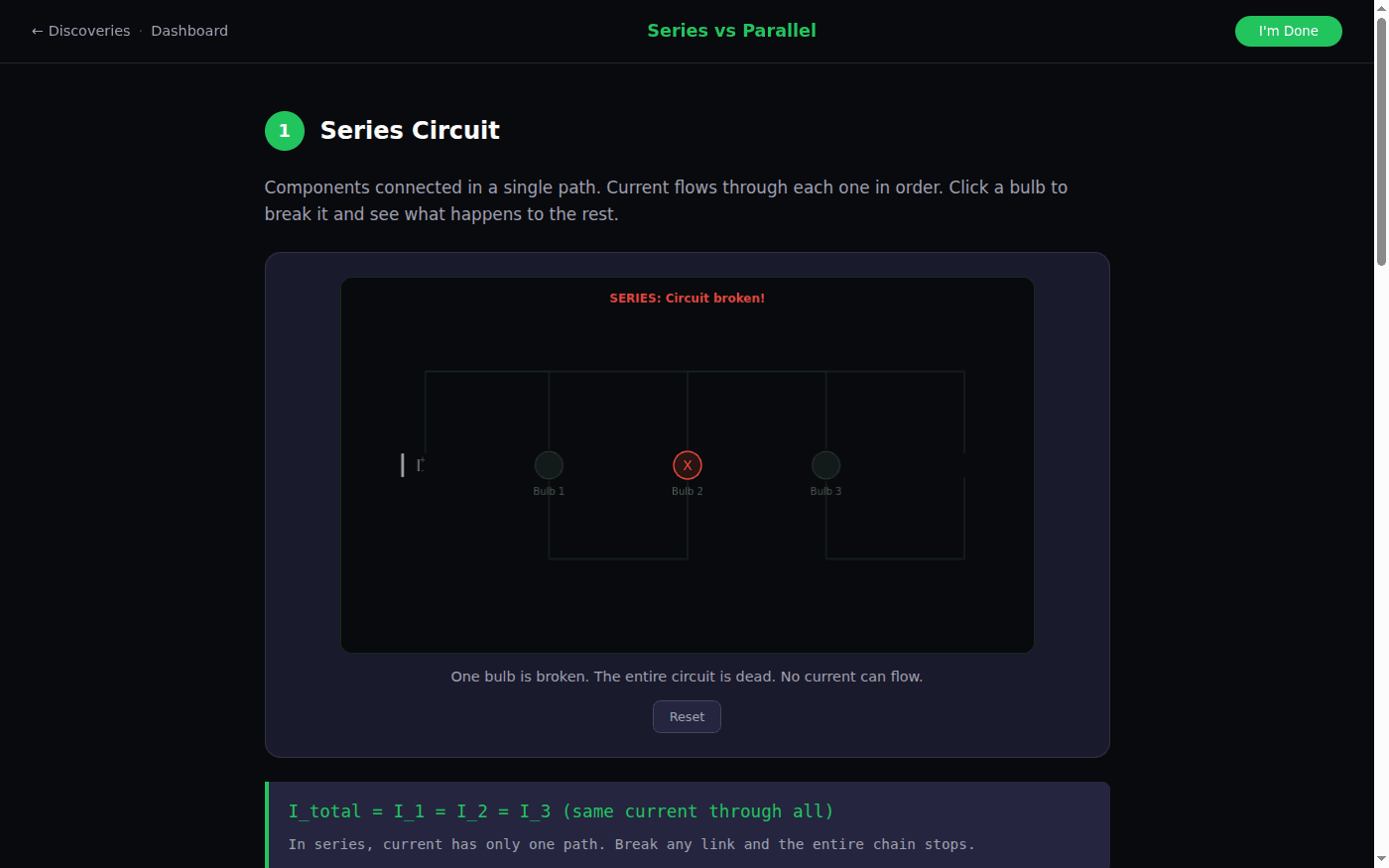
Guided walkthrough · 5-8 min Series vs Parallel: How Circuits ConnectBreak bulbs in both kinds of circuit and explain the difference from what happens.
Break bulbs in series and parallel circuits to see the difference, with animated current flow comparison.
Guided walkthrough · 3-5 min Introduction to ResistorsWhat a resistor does, and how to read the color code.
Learn how resistors limit current and read color codes.
Guided walkthrough · 3-5 min Introduction to LEDsHow an LED works, and why it needs a resistor.
Learn how Light Emitting Diodes work.
Motors, sensors and robots
How electricity becomes motion, and how machines sense the world.
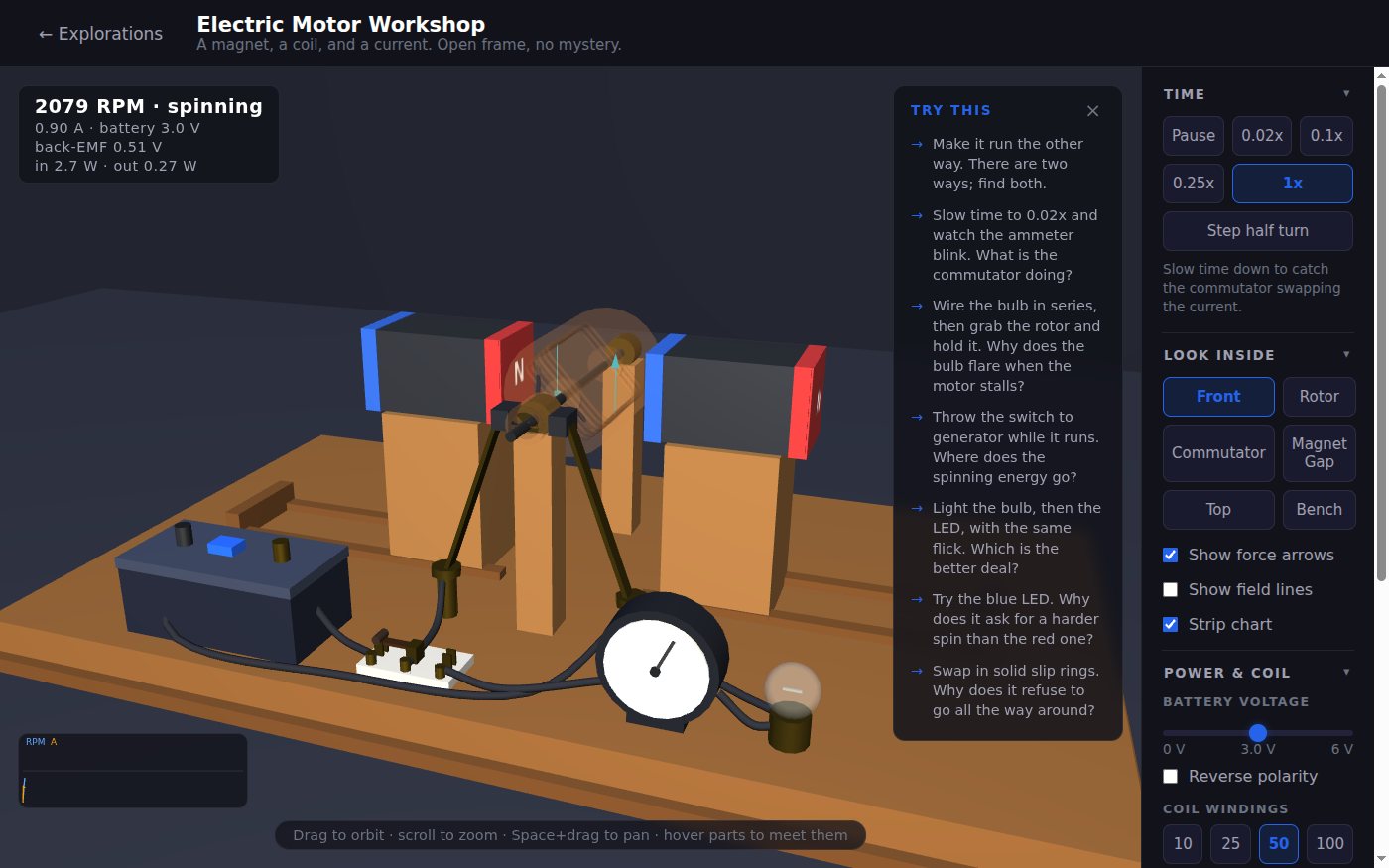
A working motor to take apart: slide the magnets, change the voltage, rewind the coil, and use it as a generator.
A classroom demo motor you can actually get your hands into. Slide the magnets, dial the voltage, rewind the coil, slow time down to watch the commutator flip the current, then spin it by hand and light a bulb.
Guided walkthrough · 5-7 min How Servos Work: From Pulse to MotionHow a pulse width becomes a precise angle, and the feedback loop that holds it.
Servos turn tiny PWM pulses into precise angle control. Learn the three-wire interface, how pulse width encodes angle, the closed-loop feedback that holds position, and how servos compare to steppers and brushless motors.
Guided walkthrough · 5 min How Robots See: The World Through SensorsHow different sensors turn the physical world into numbers.
Explore how different sensors convert the physical world into data.
Guided walkthrough · 3-5 min Introduction to RoboticsSense, think, act: the loop every robot runs.
Discover how robots sense, think, and act.
Guided walkthrough · 5 min Wheels, Speed & Turning: The Math of MovementDifferential drive: turning by running two wheels at different speeds.
Control left and right wheel speeds to discover differential drive.
Guided walkthrough · 5-8 min Robotic Arms: Joints, Axes & Inverse KinematicsJoints, axes, and the inverse kinematics every factory arm runs.
Explore how robotic arms move using forward and inverse kinematics. Adjust joint angles, click targets, and watch the math that powers every factory robot and surgical tool.
Free app, no account Robotic Arm SimulatorPick up and move blocks with a six-joint industrial arm and watch it solve its own joint angles.
Free, no account. Click a cube, grip it, carry it across the table, and watch the arm solve its own joint angles.
Free app, no account RoboticsProgram a robot with a light sensor to follow a line, in blocks or Python.
Free, no account. Start from a robot that follows a black line with one light sensor, change one number, and watch it miss the curve.
Machines that make and fly
The same parts put together into machines students know.
Layer by layer, before students print anything.
Discover how 3D printers build objects layer by layer.
Free app, no account 3D Printer SimulatorSlice a model into layers, print it, and see what the infill setting changes inside.
Free, no account. Slice a little house into 165 layers, print it, then turn the infill up and see what changes inside.
Guided walkthrough · 5-8 min How Drones Fly: The Physics of QuadcoptersThrust against gravity, and how changing rotor speeds gives yaw, pitch and roll.
Explore thrust vs gravity, control yaw/pitch/roll with differential rotor speeds, and learn why rotors spin in opposite directions.
Free app, no account Drone SimulatorFly a programmed drone through rings and find the number that sends it off course.
Free, no account. Start from a program that flies six rings, change one number, and watch the drone miss.
Interactive Gear RatiosTrade speed for force with a gear, and feel why a sprinter and a bulldozer need different drivetrains.
A gear is a trade: more reduction means more pushing force but a lower top speed. Race a bot, crank the gear, and feel why a sprinter and a bulldozer need different drivetrains. The same numbers run your BotForge bot.
Interactive Power BudgetsDraw more power than a battery can supply and watch it run down. The math of every battery-powered device.
Run a weapon off a battery and watch it drain. Find out why your weapons cut out mid-fight when they pull more power than the battery can recharge, and the three ways to fix it. The same math drives the Sustained Run stat in BotForge.
Using it with a class
Everything on this page opens with no account, so it works for a first lesson, a station rotation, or a class without school logins. There are no parts to buy, lose or break, and a student who wires something wrong just clicks reset.
- A build with a budget: every student builds a PC for the same job and price in PC Workshop, then the class compares benchmarks and explains the choices.
- Predict, then break: before clicking a bulb in the series and parallel circuits, have students predict which bulbs go out and why.
- Motor to generator: in the Electric Motor Workshop, run it as a motor, then spin it by hand to light the bulb, and ask where the energy came from.
In short
These are free computer hardware and electronics activities for middle school through introductory college: a PC building simulator where students pick real parts, assemble, boot and benchmark a machine, walkthroughs on memory, transistors and logic gates, voltage, current and resistance, series and parallel circuits, LEDs and resistors, a working electric motor to take apart, servos and sensors, and simulators for a robot arm, a line-following robot, a drone and a 3D printer. They run in the browser with no kits and no install.
Common questions
Do students need an account or any kits?
No. Every activity on this page opens in the browser with no sign-up and no hardware. A free class of up to 50 students, with no student email addresses, keeps their saved projects.
Is PC Workshop realistic?
The parts are real products with real names, and the build follows how the work is really done, down to which memory slots to use. A machine built wrong does not boot, and the beep codes say why. Specs and prices are simplified for teaching, so it is a place to learn how a computer fits together, not a shopping guide.
What courses does this fit?
Computer hardware and IT support courses, introductory electronics and engineering, middle and high school technology classes, and physics units on electricity and motors.
Will it run on school Chromebooks?
Yes. Everything runs in a browser tab with nothing to install. The 3D activities run best on computers from the last several years.
Still have a question? Ask us, and a person will write back.
Start with a free class
Everything above opens with no account. A free class adds your students, each with a username and password and no email needed, so their progress and the terminal work are kept.
Page last reviewed September 2026.