Free computer science fundamentals activities for your class
The big ideas of computer science are easier to see than to read about: a sorting race where merge sort finishes while bubble sort is still going, a search that spreads out from the start in waves, a logic gate that lights up when both inputs are on. Everything here is interactive, runs in a browser tab and opens with no account. It is grouped the way an introductory course runs, from how a computer stores information to how an AI learns, and each activity has a line on what it is good for in class.
Click any picture to see it full size.
How computers store information
Everything is numbers: text, pictures, codes, and the switches underneath.
The first lesson: counting in 1s and 0s until it feels natural.
How computers think in 1s and 0s - and how you can too.
Guided walkthrough · 7 min What's Inside an Image File?A photo as millions of numbers. Makes binary concrete right after the first lesson.
Every photo is just millions of numbers arranged in a clever way.
Guided walkthrough · 3-5 min How Compression WorksThe same information in less space, and the idea of lossless compression.
Make files smaller without losing information - the magic of compression algorithms.
Guided walkthrough · 5-7 min Decode the Square: Inside QR CodesTake apart a QR code: finder patterns and error correction students can see.
Take apart a QR code to discover finder patterns and error correction.
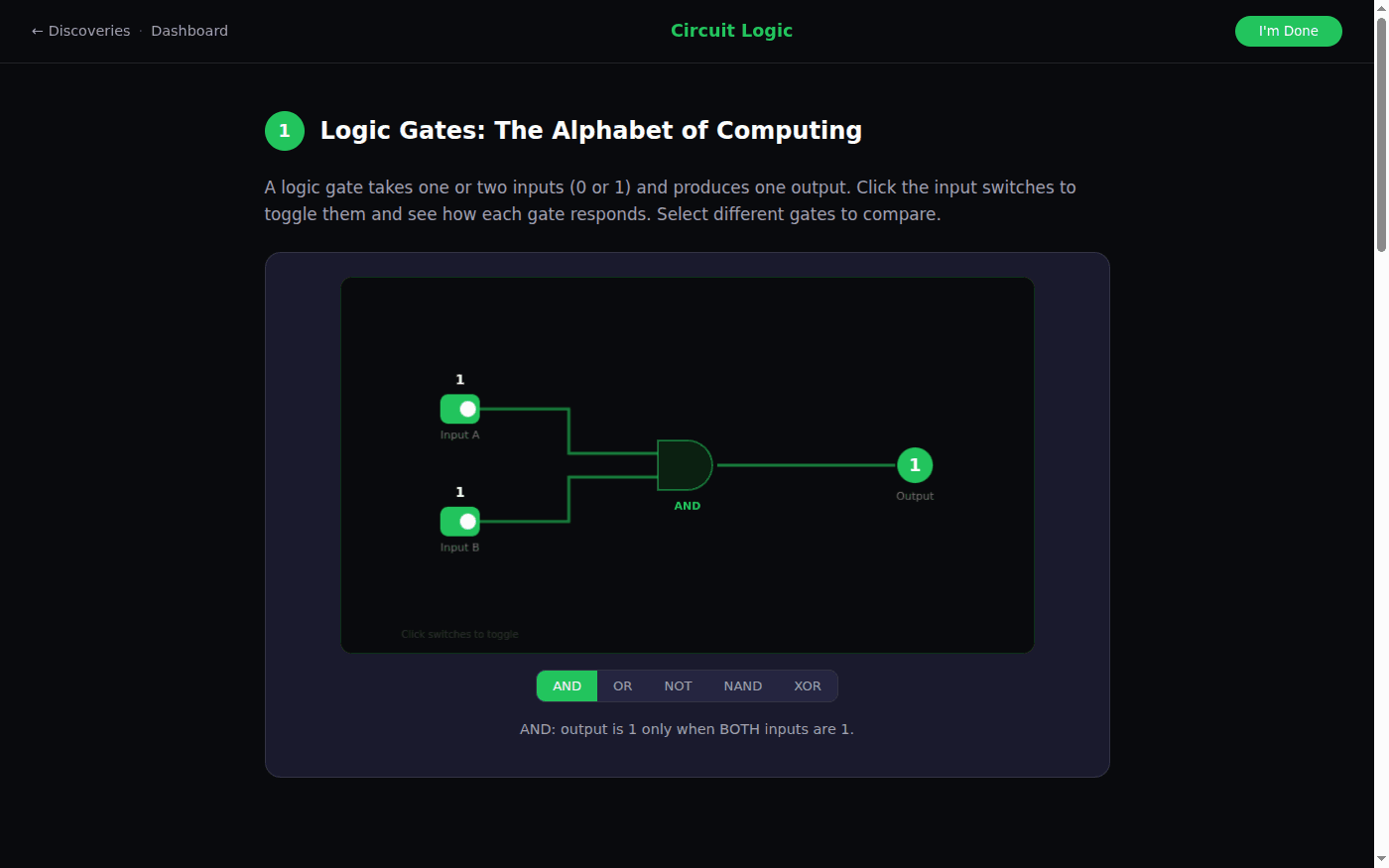
Guided walkthrough · 5-8 min Circuit Logic: AND, OR, NOT and the Basics of ComputingToggle AND, OR and NOT, compare truth tables, then build a half adder.
Toggle interactive logic gates, compare truth tables, and build a half-adder circuit. See how three simple operations create all of computing.
Guided walkthrough · 5-7 min What is a Transistor: The Switch That Built the Modern WorldThe switch under every gate, and why Moore's Law mattered for fifty years.
Transistors are voltage-controlled switches with no moving parts. Learn how one builds a NOT gate, why Moore's Law doubled transistor counts for 50 years, and just how small modern chips really are.
Guided walkthrough · 3-5 min How Memory WorksRAM, cache and storage, and why where data lives changes how fast it is.
RAM, cache, and storage - understand where your computer keeps things.
Algorithms
Step-by-step procedures, and why some are much faster than others.
Everyday algorithms, putting steps in order, and a race between linear and binary search.
Explore everyday algorithms, order steps correctly, and race linear vs binary search to find a number.
Guided walkthrough · 5-8 min Flowcharts & Diagrams: Thinking in SystemsFlowchart symbols and a decision tree, and how a flowchart maps to code.
Learn flowchart symbols, walk through an interactive decision tree, and see how flowcharts map to code.
Guided walkthrough · 3-5 min Algorithms VisualizedA quick look at sorting and searching before the deeper lessons.
Watch sorting and searching algorithms in action - see why some are faster.
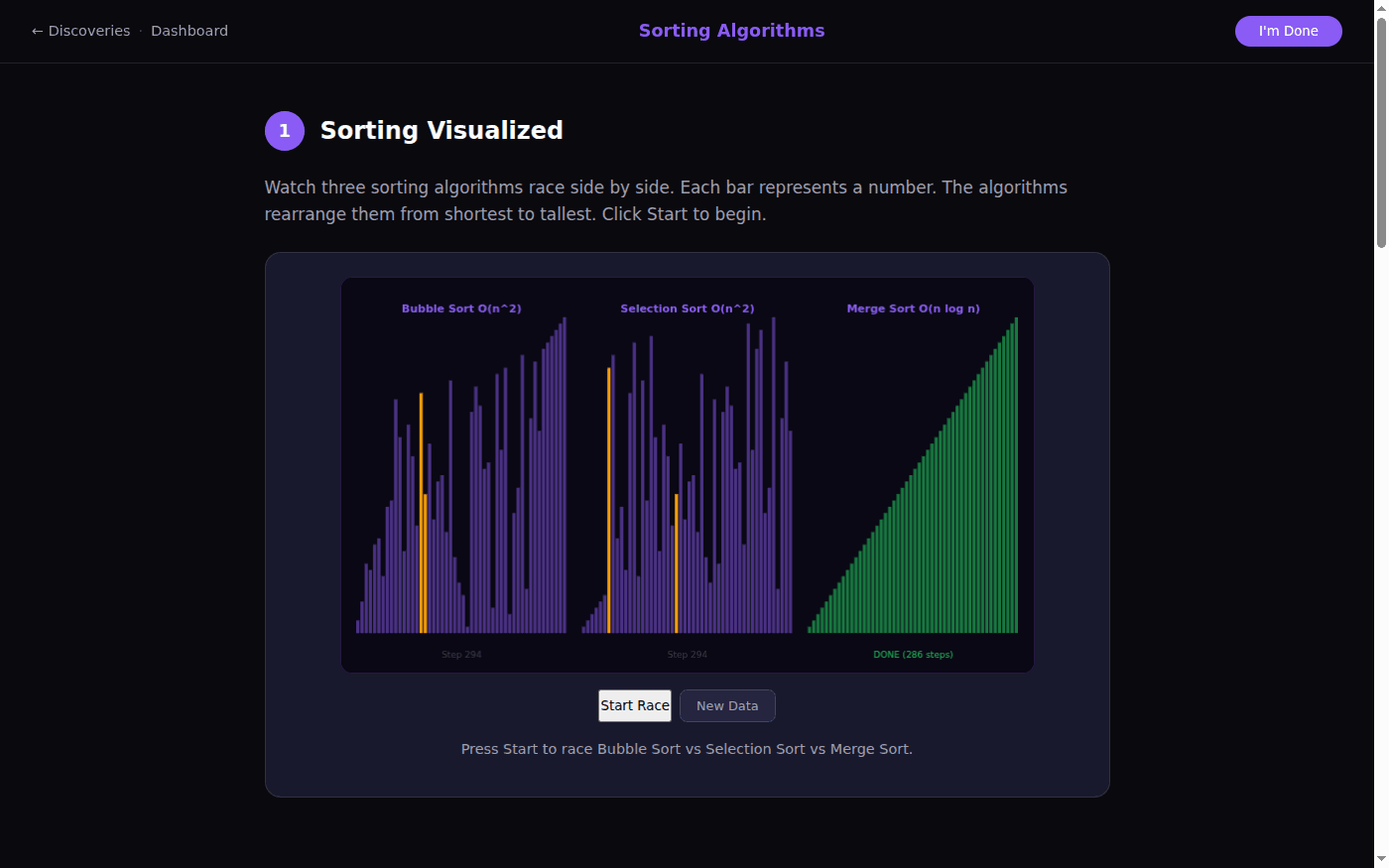
Guided walkthrough · 5-8 min Sorting Algorithms: Racing to OrderRace bubble, selection and merge sort, step through one comparison at a time, and see why O(n log n) wins.
Race Bubble Sort vs Selection Sort vs Merge Sort side by side, step through Bubble Sort one comparison at a time, and see why O(n log n) beats O(n^2).
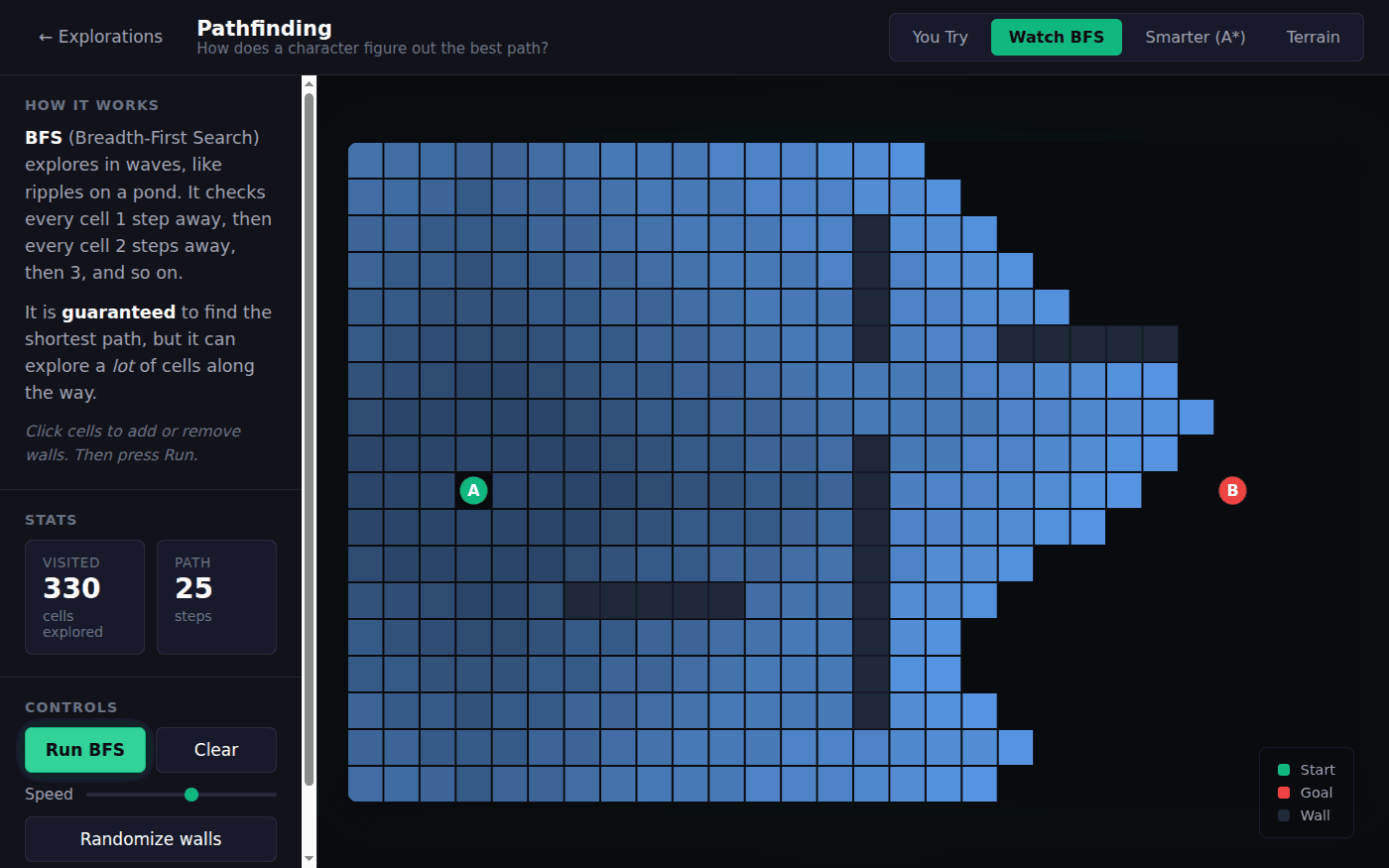
Interactive PathfindingStudents find a path by hand first, then watch BFS and A* do it and compare how many cells each explores.
Draw walls, pour water, and watch BFS and A* race to find the shortest path. Then try it yourself.
Guided walkthrough · 8-12 min Maze GenerationSix ways to build a maze, each one an algorithm students can watch.
Explore 6 different maze generation algorithms.
Guided walkthrough · 5-8 min Cellular Automata: Can Simple Rules Create Life?Four rules, and the Game of Life: how simple rules produce complex behavior.
Explore Conway's Game of Life and discover how four simple rules create gliders, oscillators, and infinite complexity from a grid of cells.
Guided walkthrough · 5-7 min How Search Engines Work: Crawl, Index, RankCrawling, indexing and ranking: algorithms at the largest scale.
Explore the three big ideas behind every search engine: web crawlers that walk billions of pages, inverted indexes that turn queries into instant lookups, and PageRank that uses links as votes to rank the best results first.
First steps in programming
Variables, conditions and loops, before students choose a language.
Hello world, variables and math, if and else, and a loop that draws a pattern.
Write and run hello world, explore variables and math, make if/else decisions, and see loops create patterns.
Guided walkthrough · 3-5 min The Logic of CodeThe three building blocks of every program, in a few minutes.
Variables, conditions, and loops - the building blocks of every program.
Guided walkthrough · 3-5 min Speed of CodeBillions of instructions a second: a good hook for why efficiency matters.
Your computer runs billions of instructions per second. Let that sink in.
Interactive Coding a Bot BrainEdit a short program and watch a bot fight with it on real physics. Motivating for students who want to see code do something.
Your bot can run your code. Learn the brain commands, then play with ready-made snippets for chasing, kiting, circling, firing, and self-righting. Edit the code, press Run, and watch your bot fight a live opponent on the arena's real physics.
Data and AI
How machines learn from data, and how data can mislead people.
Train a small neural network and watch it learn a pattern.
Train a neural network and watch artificial intelligence learn patterns.
Guided walkthrough · 5-8 min Inside a Neural Network: How Machines Learn PatternsNeurons, weights and layers: adjust one neuron by hand, then watch a network train.
Explore how neurons, weights, and layers work together. Adjust weights on a single neuron, visualize a full network, and train one by watching loss decrease.
Guided walkthrough · 5-8 min Data Visualization: Turning Numbers Into StoriesWhich chart for which data, and how to spot a misleading one.
Learn when to use bar charts, line charts, pie charts, and scatter plots. Spot misleading charts and test your skills with quizzes.
Guided walkthrough · 5-8 min Patterns in Data: Correlation, Trends & OutliersScatter plots, spurious correlations, and how one outlier moves a trend.
Build scatter plots interactively, explore spurious correlations, and toggle outliers to see how one point changes the whole trend.
Guided walkthrough · 5-7 min Sampling & Bias: Why Polls Get It WrongWhy polls get it wrong: sample size and selection bias.
Polls and surveys try to learn about a big group by asking a small one. Explore how sample size affects accuracy, how selection bias secretly distorts results, and the famous 1936 election poll that got it spectacularly wrong.
Guided walkthrough · 6 min Randomness is Harder Than You ThinkStudents try to be random and fail. A short, memorable opener on patterns.
Challenge yourself to be truly random and spot fake patterns.
Using it with a class
Each walkthrough takes five to ten minutes and opens with no account, so it works as the start of a lesson, a station in a rotation, or homework to discuss the next day. When students are ready to write real programs, the Linux terminal runs Python, JavaScript, C and more, with a free account.
- Predict, then run: before the sorting race, have students bet on the winner and explain why, then press Start.
- Be the algorithm: in Pathfinding, students draw the shortest path by hand first, then compare their path and effort with BFS and A*.
- Unplugged follow-up: after Circuit Logic, have students build a truth table on paper for a gate they did not try.
In short
These are free, interactive computer science fundamentals activities for middle school through introductory college: binary and how images, QR codes and compression store data, logic gates and transistors, algorithms with sorting races, binary search and BFS and A* pathfinding, a first line of code with variables, conditions and loops, and how neural networks learn and how data can mislead. They run in the browser with no install and no account.
Common questions
Do students need an account?
No. Every activity on this page opens in the browser with no sign-up. A free account adds the Linux terminal for writing real programs, and a free class of up to 50 students needs no student email addresses.
What grade levels is this for?
Most of it works from middle school up. The binary, logic gate, algorithm and first-code walkthroughs suit grades 6 to 9; sorting complexity, pathfinding and neural networks carry into high school and introductory college courses.
What courses does this fit?
Introductory computer science, computer science principles courses, middle school computing and technology classes, and the fundamentals unit of an IT or computer information systems course.
Will it run on school Chromebooks?
Yes. Everything runs in a browser tab with nothing to install.
Still have a question? Ask us, and a person will write back.
Start with a free class
Everything above opens with no account. A free class adds your students, each with a username and password and no email needed, so their progress and the terminal work are kept.
Page last reviewed September 2026.