Free Hour of Code activities and games, ages 8 to 18
One hour, one thing made. Students change the rules of a working game, program a robot's brain, build a web page, write music as code, or put a computer together part by part and boot it. Every activity opens in a browser tab with no accounts and nothing to install, so it works on the Chromebook cart. The ones below with a lesson plan come with everything for a 45-minute class.
- Hour of Code 2026Computer Science Education Week, December 7 to 13, 2026. Most classes run it December 7 to 11.
- Free, no signupEvery activity opens in the browser with no student accounts or email.
- No AI toolsStudents learn programming itself: variables, events, loops, sensors, HTML and the command line.
- Works on ChromebooksNothing to install. Windows, Mac and Linux too.
Hour of Code lesson plans and activities by grade
Every lesson plan is free and fits a 45-minute class: the steps, what to say, slides, and how to tell whether the idea landed. Every activity opens on something already made, with a short guide, so students start by changing it rather than staring at a blank screen. No student accounts needed for any of it.
Elementary, ages 8 to 11
Build first, then change the rules: a course to run, a creature to program, a beat on a grid.
Lesson plans, 45 minutes each
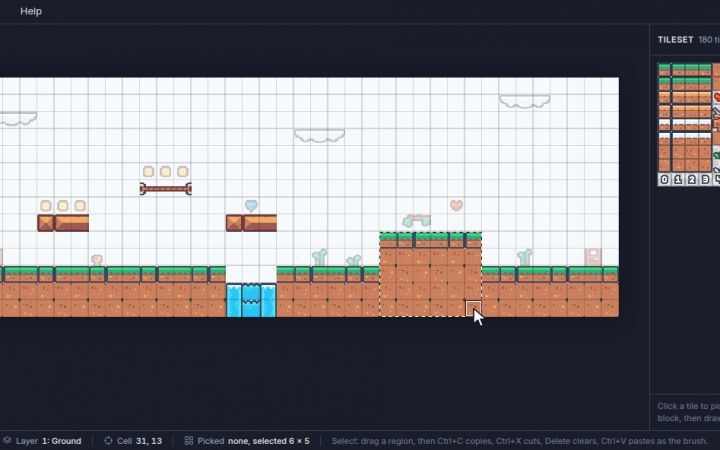
Grassy Hills is a video game level made of square tiles, 40 across and 14 down.
Open the lesson planAbout Tilemap Editor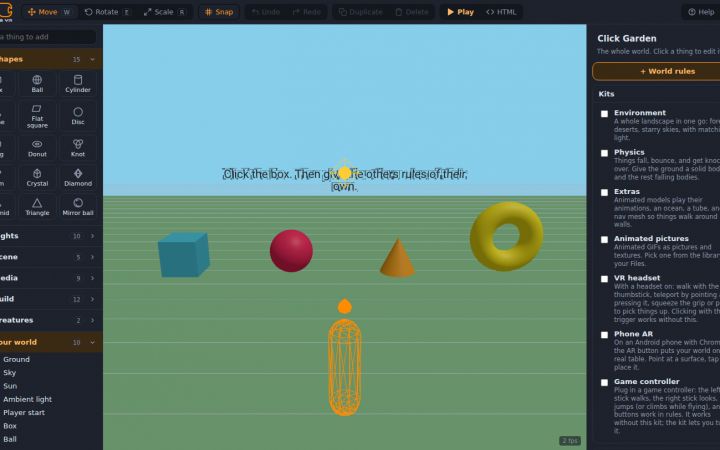
In a small 3D garden, a box spins and changes color every time it is clicked. Students open its rules and find two plain sentences: always spin slowly, and when I get clicked, change to a random color.
Open the lesson planAbout BlocksVR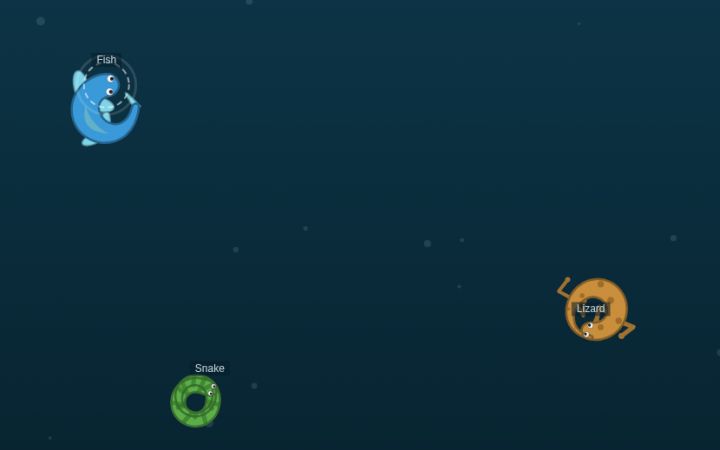
Three creatures circle in a pond: a snake coils into a ring, a lizard just closes one, and a fish only makes a C.
Open the lesson planAbout Creature Lab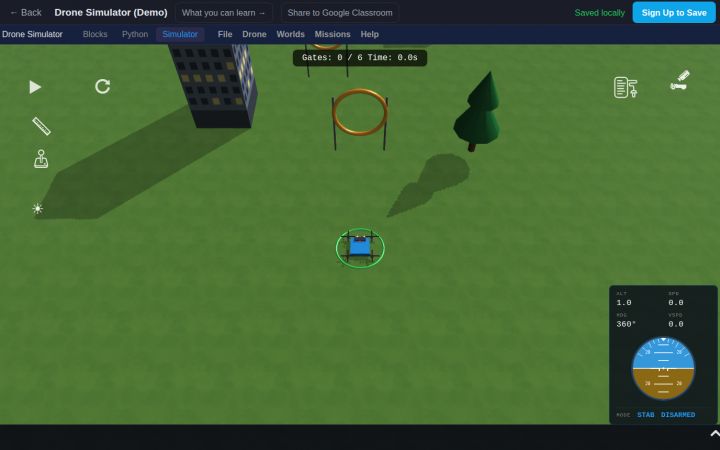
Students run a block program that flies a drone through six rings and lands.
Open the lesson planAbout Drone Simulator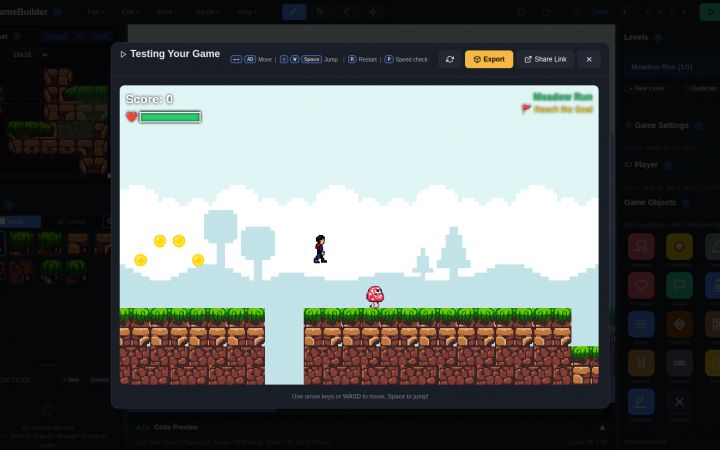
Students play Meadow Run, a finished platform game, then change three numbers the game reads: Gravity, Jump Power and Move Speed.
Open the lesson planAbout GameBuilder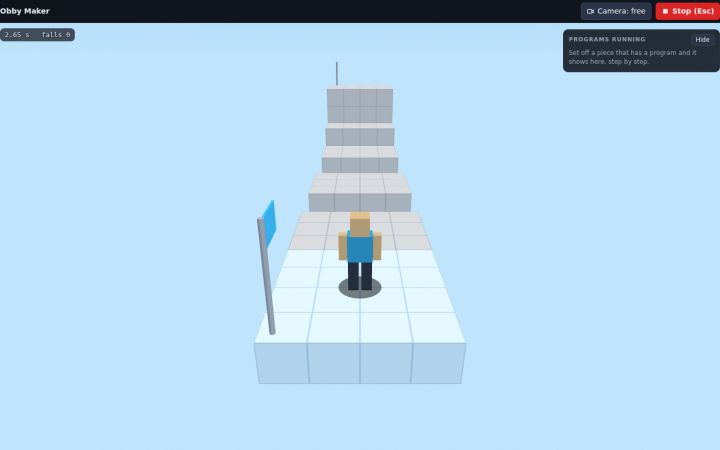
Students play a three-stage obby and work out the rule behind every jump: 4 blocks across or 2 up, never 5. They build a stage of their own, and the app tells them in a sentence whether it can be finished.
Open the lesson planAbout Obby Maker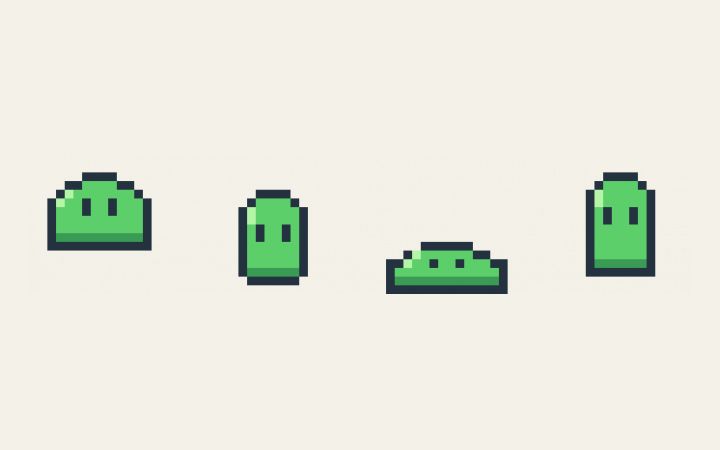
Students start from a small blob that already bounces in four frames. They add something to one frame, watch it blink, and find out how animation works in the first few minutes.
Open the lesson planAbout PixelArtMore to try
 Game making
 Obby Maker
Free, no account. The lava is one line of code, and you can open it and change it.
Try it free, no account Animation and code
 Creature Lab
Free in the browser, no account. Shape a body, add fins or legs, program its brain, and watch one rule turn into swimming.
Try it free, no account Music
Music BeatMaker
Free, no account. Eight drums, sixteen steps, press Play. Starts on a groove you can change in one click.
Try it free, no accountMiddle school, ages 10 to 14
Variables in a game, a robot's brain in blocks, a drone flown by a program, a web page in blocks, and a computer built part by part.
Lesson plans, 45 minutes each
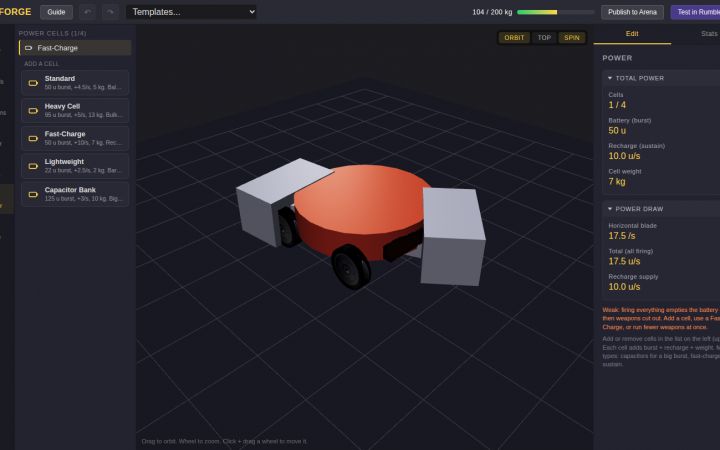
BotForge opens on a spinner bot whose blade empties its battery in under 7 seconds, and then cuts out mid-fight.
Open the lesson planAbout BotForge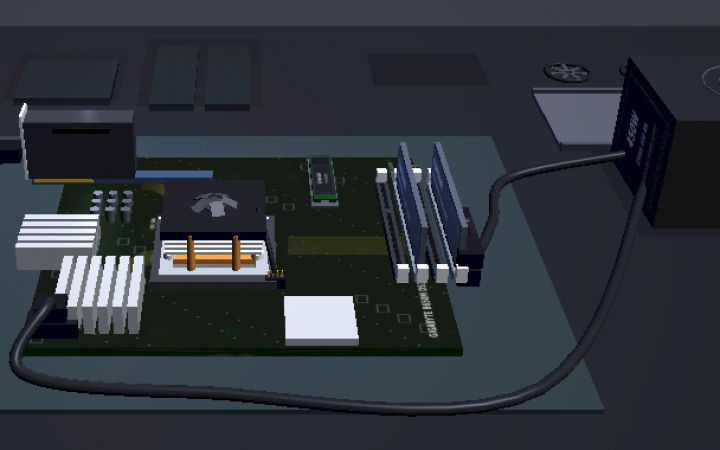
Students build a computer from real parts on a 3D workbench: the CPU into its socket, thermal paste and a cooler, memory, a drive, a graphics card and the cables. They press POWER and the computer checks itself, part by part.
Open the lesson planAbout PC Workshop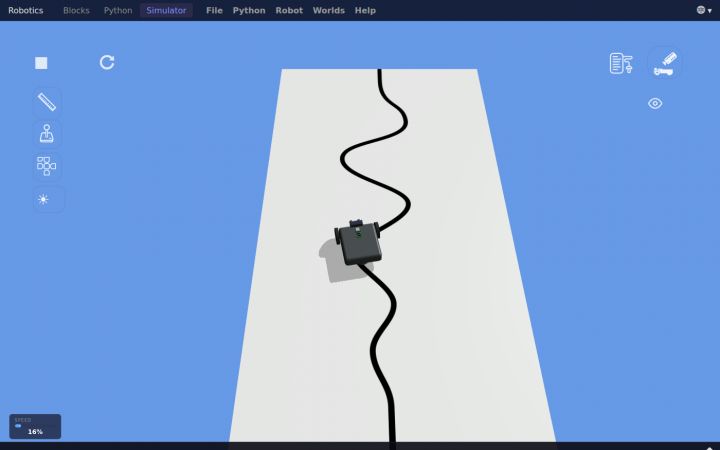
Students run a simulated robot that follows a black line using one light sensor.
Open the lesson planAbout RoboticsMore to try
 Game making
 GameBuilder
Free, no account. Start from a finished level, change it, press Play. Then look at the code that runs it.
Try it free, no account Robotics and code
 BotForge
Free, no account. Start from a spinner bot, change the weapon, write the rules it fights by, and take it into the arena.
Try it free, no account Robotics and code
 Drone Simulator
Free, no account. Start from a program that flies six rings, change one number, and watch the drone miss.
Try it free, no account Computer science and IT
 WebDev
Free, no account. A short starter page about octopuses: change one color, press Render, and find the line of CSS that changed.
Try it free, no account Computer hardware
 PC Workshop
Free, no account. Pick real parts to a budget, put them together by hand, boot it, benchmark it.
Try it free, no accountHigh school, ages 13 and up
Typed code: a web page in HTML, CSS and JavaScript, music as code, the Linux command line, and a security challenge.
Lesson plans, 45 minutes each
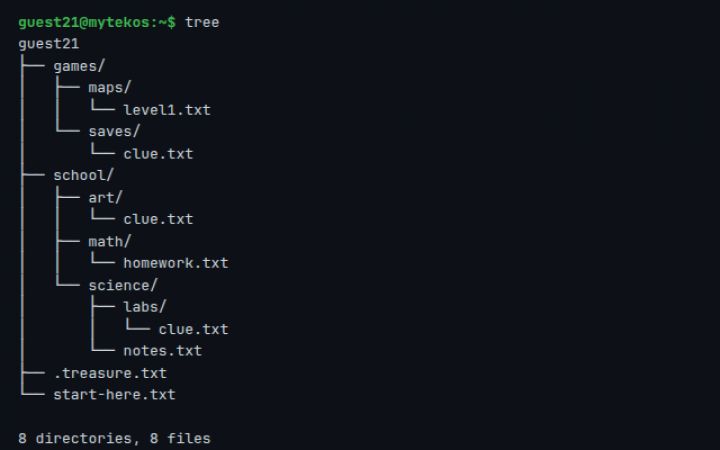
The worksheet's link opens a terminal with a treasure hunt already laid out in its folders.
Open the lesson planAbout Linux Terminal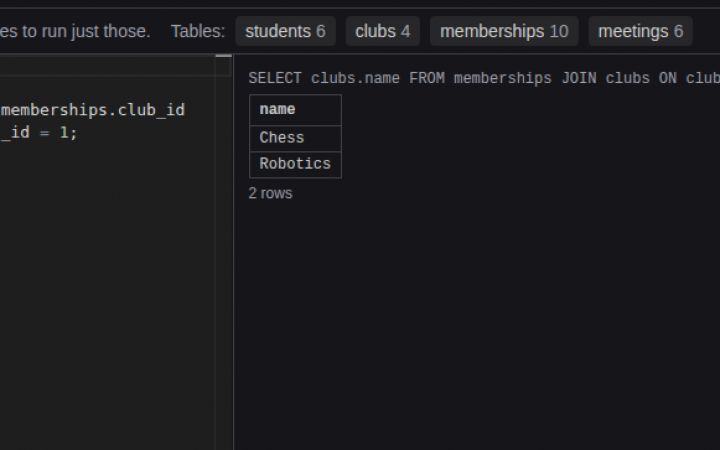
Students open the database behind a school's clubs: students, clubs, the memberships that link them, and meetings, already filled with data.
Open the lesson planAbout Database Designer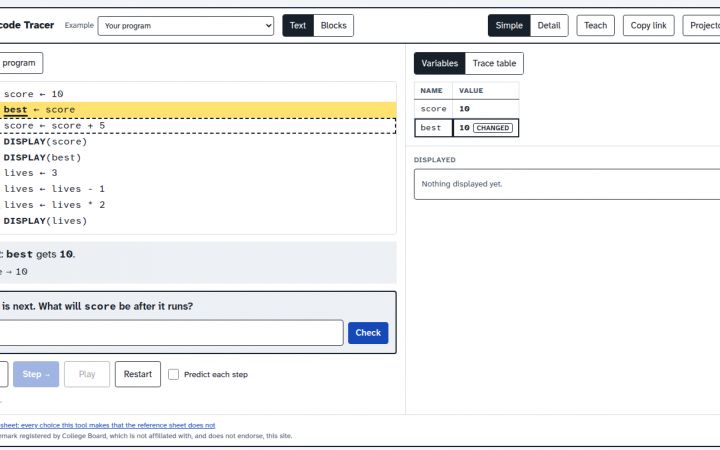
The AP CSP exam asks students to trace code written in the exam reference sheet's own notation, and the very first rule they need is what the arrow does.
Open the lesson planAbout Pseudocode TracerMore to try
 Coding
 Code Editor
Free, no account. Three files, a Run button, and the page beside the code. Starts on a color swatch you change in one line.
Try it free, no account Music
Music Strudel
Free, no account. A drum beat, a bass line and a melody, one line each. Change a line and hear it.
Try it free, no account Computer science and IT
More than 170 commands, bash scripts, vim, git, SSH to their own servers, CTF challenges and CCST practice. Free for classes.
Try it free, no account Cybersecurity
Ten beginner to advanced cybersecurity challenges in a real Linux terminal, and a way for students to write their own. Free, nothing to install.
Try it free, no accountRunning it with a class
- Pick one activity for everyone, or let students choose from their age group.
- No accounts: send the activity's link and students start at once. Their work stays in that browser tab.
- To keep the work: set up a free class first (about ten minutes), and post the class link in Google Classroom. Students' work saves to their accounts, and you see all of it.
- On your class site: every activity can sit on your own page, with the address for Google Sites or code for Canvas, from the "Put this on your class site" box on its page.
Common questions
When is the Hour of Code in 2026?
Computer Science Education Week runs December 7 to 13, 2026, and most classes hold their Hour of Code on a school day that week, December 7 to 11. Any day works: these activities are free all year.
Is there an Hour of Code without AI?
Yes. In 2025 Code.org made the Hour of Code part of the Hour of AI, but a class can still spend its hour on programming itself. None of the activities on this page use AI tools: students change variables in a game, program a robot or a drone, write HTML, CSS and JavaScript, or work in the Linux command line.
Which Hour of Code activities work for middle school?
Game Builder (change the rules of a platform game with variables), BotForge (program a battle robot in blocks), Drone Simulator (fly a drone through rings with a block program), WebDev (a web page built from blocks) and PC Workshop (build a computer and boot it). Each has a free 45-minute lesson plan or a starter that opens ready to change.
Which Hour of Code activities work for high school?
Code Editor for a real web page in HTML, CSS and JavaScript, Strudel for music written as code, the Linux terminal for the command line, and a capture-the-flag security challenge. All run in the browser with no installs, so they work on school Chromebooks.
Do students need accounts?
No. Every activity here opens with no account and no email, so a whole class can start in the first minute. If you want their work saved and visible to you, make a free class first: a free class holds 50 students, and you can make their logins yourself.
Will it work on our Chromebooks?
Yes. Everything runs in the browser on Chromebooks, Windows, Mac and Linux, with nothing to install. A few apps are made for a mouse and a bigger screen and say so on a phone.
Is this the official Hour of Code?
The Hour of Code is a worldwide movement during Computer Science Education Week, and since 2025 it is part of the Hour of AI, both run by Code.org. Any one-hour activity can be your class's Hour of Code. These are ours, and mytekDev is not affiliated with Code.org.
Is it free?
Yes. Every activity and lesson plan on this page is free, with no ads and no tracking.
Can I put an activity on my class website?
Yes. Each activity's page has a "Put this on your class site" box with the address for Google Sites and code for Canvas or a blog.
Still have a question? Ask us, and a person will write back.
The Hour of Code and the Hour of AI are run by Code.org. The Hour of AI is a global initiative by Computer Science Education Week and the Hour of AI to introduce millions of students to artificial intelligence. mytekDev is not affiliated with Code.org.
Google, Google Classroom and Chromebook are trademarks of Google LLC.