Learning kits for families, co-ops and classes
Hands-on projects, one step at a time
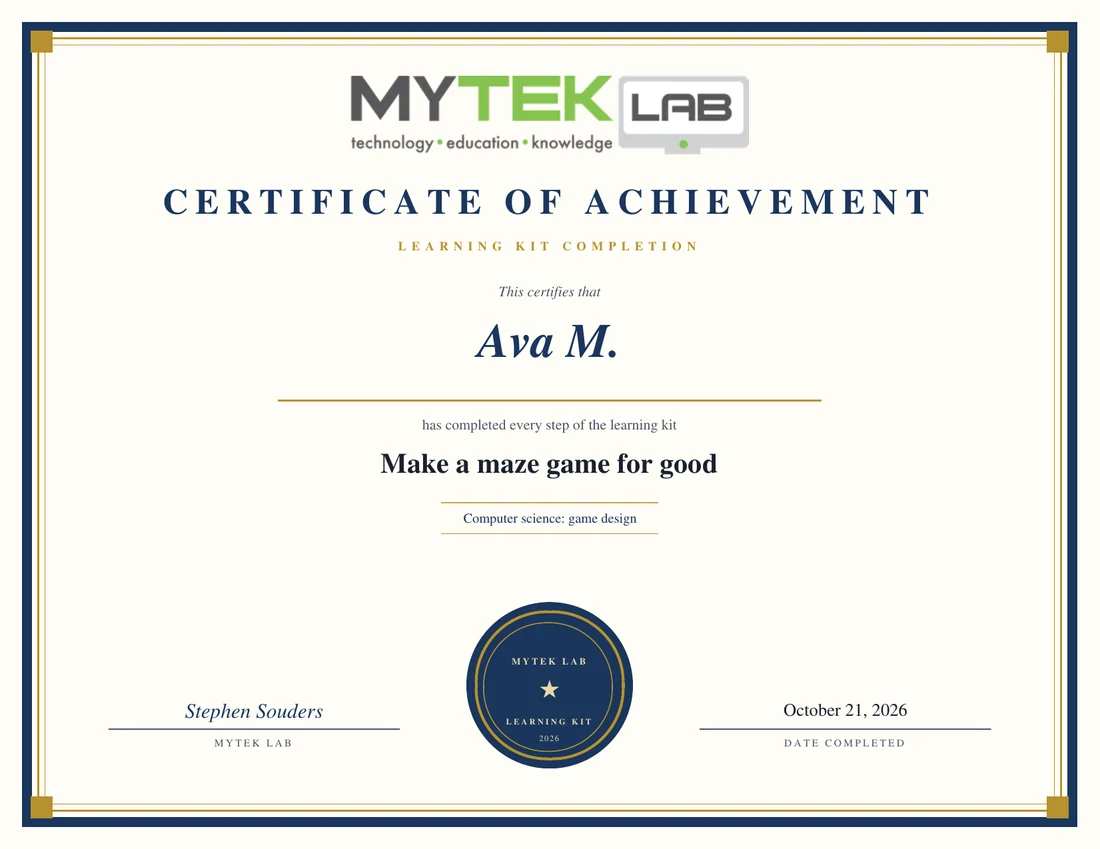
Each kit is a project in an app that runs in the browser. The app checks the work as it is done, and the learner finishes with a numbered certificate and a page of their own work.
- No account needed
- Works on a Chromebook
- All on screen, printing optional
- A certificate anyone can check
- Pick a kitSorted by grade. Search by topic or app.
- Unlock itOne price per learner, certificate included. Some kits are free, and groups get a code.
- Build it in the appEach step shows how the app works, then ticks off as the work gets done.
- Get the certificateA numbered certificate and a page of the work, for records or a portfolio.
All kits
No kits match.
Grades K-1
 $5
$5
How computers work and stay safe
Find the parts of a computer, learn what safe means online, and see how computers are connected, just like you. Ages 5 to 7 or kindergarten and first grade, read aloud together with a grown-up.
$5 for one learner, certificate included
 $5
$5
Me, my privacy and my trust circle
Find out what makes you special, learn what to keep private, and name the grown-ups in your trust circle. Ages 5 to 7 or kindergarten and first grade, read aloud together with a grown-up.
$5 for one learner, certificate included
 $5
$5
Little detective: clues and searching
Ask good questions to search for answers, follow clues to guess who someone is, and test your detective eyes. Ages 5 to 7 or kindergarten and first grade, read aloud together with a grown-up.
$5 for one learner, certificate included
 $5
$5
Design and build a robot
Pick the parts a plant-watering robot needs, draw a build plan in craft materials and build a prototype from cardboard and straws, then program a robot to reach the plant and ask two people what would make your design better. Ages 5 to 7 or kindergarten to grade 1.
$5 for one learner, certificate included
 $5
$5
Kind in real life and online
Find your communities, learn what is safe to share online, and use technology to help something you care about. Ages 5 to 7 or kindergarten and first grade, read aloud together with a grown-up.
$5 for one learner, certificate included
 $5
$5
Make a robot move
Meet the parts of a robot, play a game where one person gives step-by-step directions and the other follows them exactly, then tap arrow cards into a program and watch a little robot follow it along a trail to a flag. Ages 5 to 7 or kindergarten to grade 1.
$5 for one learner, certificate included
 $5
$5
Sun, Moon and stars
Learn about the Sun, watch the Moon change, and find star pictures in the sky with Night Sky Lab. Ages 5 to 7 or kindergarten and first grade, read aloud together with a grown-up.
$5 for one learner, certificate included
 $5
$5
Robot or not? Meet the robots
Sort real robots from ordinary machines, find out the jobs robots do, from cleaning floors to driving on Mars, then design your own robot on a pixel grid and team up with a friend to make it better. Ages 5 to 7 or kindergarten to grade 1.
$5 for one learner, certificate included
Grades 2-3
 $5
$5
Code a dancing sprite
Write an algorithm for a quilt pattern, then code in Snap!, a free block language: make a sprite dance with a loop, move it with the arrow keys and make it talk when clicked, learn about Grace Hopper, and make your own dance block that a key press runs. Ages 7 to 9 or grades 2 to 3.
$5 for one learner, certificate included
 $5
$5
Make your first maze game
Plan a maze game that helps with a problem, build it in GameBuilder, test it, and let two people play it. Ages 7 to 8 or grades 2 to 3, with a grown-up nearby for the first sitting: planning, building and testing, the way game designers work.
$5 for one learner, certificate included
 $5
$5
Computer expert: draw, discover and connect
Draw a picture with pixels in PixelArt, find cool facts about computers, take a safe trip online, connect with someone far away, and make a little animation for fun. Ages 7 to 8 or grades 2 to 3, with a grown-up nearby.
$5 for one learner, certificate included
 $5
$5
Stay safe online: layers and messages
Find out how you use technology and what it can do, build layers of security like a castle, bring real-life safety rules online, and send messages across a pretend internet. Ages 7 to 8 or grades 2 to 3, with a grown-up nearby for the first sitting.
$5 for one learner, certificate included
 $5
$5
My safe online self
Make a safe online name, sort what to share from what to keep private, learn to share safely, find out who to trust online, and test everything you learned. Ages 7 to 8 or grades 2 to 3, with a grown-up nearby.
$5 for one learner, certificate included
 $5
$5
Cyber detective: the missing hamster
Crack a secret code in CryptoLab to find the missing class hamster, spot fake photos, follow digital footprints, see how a computer virus spreads, and stop a cyber attack. Ages 7 to 8 or grades 2 to 3, with a grown-up nearby for the first sitting.
$5 for one learner, certificate included
 $5
$5
Kind and smart online
Find your real and online communities, follow your digital footprint, spot what is true and not, design a kind online place, and make a message that helps others. Ages 7 to 8 or grades 2 to 3, with a grown-up nearby.
$5 for one learner, certificate included
 $5
$5
Drive a robot
Match everyday things to the six simple machines, play a mystery box game to see how robots sense, give step-by-step drawing instructions, then program a robot in a browser simulator: drive it to a green square, and follow a taped path with a right turn and a left. Ages 7 to 9 or grades 2 to 3.
$5 for one learner, certificate included
 $5
$5
Sky adventurer: planets, Moon and stars
Find the planets in tonight's sky, zoom in to see more, follow the Moon through a month, plan a stargazing night, and share what you found, with Night Sky Lab. Ages 7 to 8 or grades 2 to 3, with a grown-up nearby.
$5 for one learner, certificate included
Grades 4-5
 $5
$5
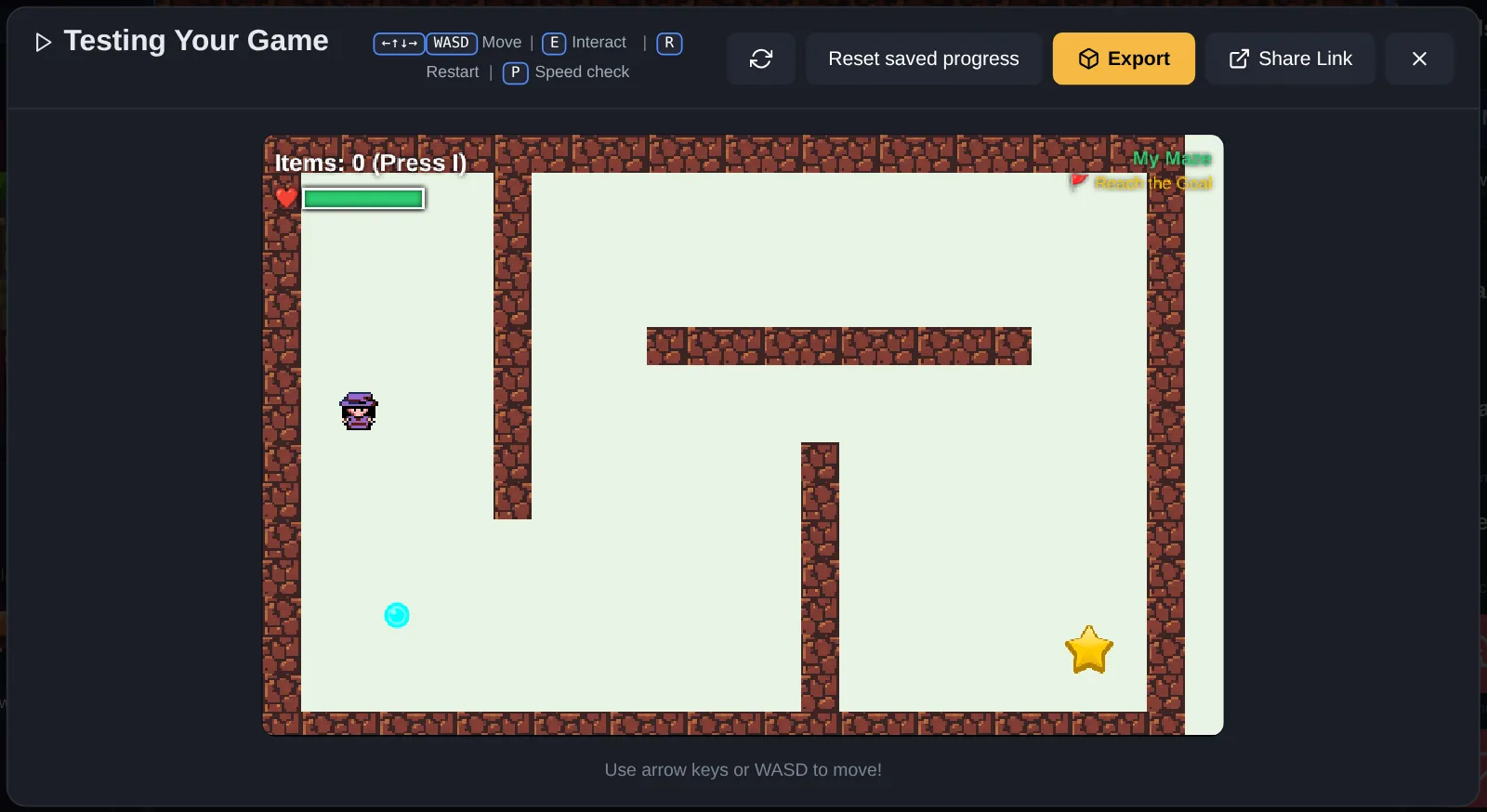
Make a maze game for good
Design a maze game with a message, build it in GameBuilder, test it until it is fun, and share it. Ages 9 to 11 or grades 4 to 5: planning, building, testing and improving, the way game designers work.
$5 for one learner, certificate included
 $5
$5
How computers talk
Read the 1s and 0s computers use, send messages across a pretend internet to get an address, look up a website and load the page, invent a protocol of your own, and learn how malware sneaks in. Ages 9 to 11 or grades 4 to 5: how the internet works, one message at a time.
$5 for one learner, certificate included
 $5
$5
Lock down your online identity
Make a safe username, build a password and watch a weak one get cracked in CryptoLab, sort what to share from what to keep private, and learn who to trust online. Ages 9 to 11 or grades 4 to 5: the habits that keep an online identity safe.
$5 for one learner, certificate included
 $5
$5
Code cracker and cyber detective
Make and crack secret codes in CryptoLab, learn how updates and smart choices keep thieves out, and investigate messages to catch the fakes. Ages 9 to 11 or grades 4 to 5: the first ideas of cybersecurity, worked like a detective.
$5 for one learner, certificate included
 $5
$5
Detective school: clues, codes and a mystery
Sharpen your observation, send and decode Morse code with a light and a tap key, take your fingerprints, try detective science, and solve a mystery from the clues. Ages 9 to 11 or grades 4 to 5.
$5 for one learner, certificate included
 $5
$5
Lead online: a community for good
Map how you connect with others, follow your digital footprint, check a source like a fact checker, design an online community with rules everyone agrees on, and make a message that helps people. Ages 9 to 11 or grades 4 to 5.
$5 for one learner, certificate included
 $5
$5
Ready to help: first aid basics
Learn the first steps in an emergency and what to say to 911, interview a first responder, pack a portable first-aid kit, handle cuts, burns, stings and nosebleeds, and care for someone who is sick. Ages 9 to 11 or grades 4 to 5. It does not replace a first-aid class.
$5 for one learner, certificate included
 $5
$5
Program a robot
Find out how robots sense, think and act, act out a program on a paper map, then program a robot in a browser simulator: drive it to a target, draw a square with its pen, and stop it before a wall with its distance sensor. Ages 9 to 11 or grades 4 to 5.
$5 for one learner, certificate included
 $5
$5
Space investigator: the Sun, stars and beyond
Build a scale model of the Solar System, watch the night sky change as Earth circles the Sun, find bright stars and read their colors in Night Sky Lab, and use sky tools and real ones to explore. Ages 9 to 11 or grades 4 to 5.
$5 for one learner, certificate included
Grades 6-8
 $5
$5
Code a meme maker
Call functions with arguments to change a face and its captions, learn how memes spread and how to keep them kind, plan a meme function in pseudocode, write a drawMeme function anyone can reuse, then use it twice and share your meme. Ages 11 to 14 or grades 6 to 8.
$5 for one learner, certificate included
 $5
$5
Code a pixel avatar game
Design a pixel avatar, turn it into code with arrays, write an array for a game icon, plan a game scenario, then code a small game where your avatar moves with the arrow keys and collects the icon. Ages 11 to 14 or grades 6 to 8.
$5 for one learner, certificate included
 $5
$5
Code a habit tracker
Learn how data is collected and turned into charts, put a week of your own habit data into an array, plan how to collect two habits for a week, chart them side by side to look for a correlation, then code a tracker app you click to log today. Ages 11 to 14 or grades 6 to 8.
$5 for one learner, certificate included
 $5
$5
Make a four-panel comic
Learn how comics tell stories, plan a story with a beginning, middle and end, sketch your panels, build them in Comic Maker, and add the words. Ages 11 to 14 or grades 6 to 8.
$5 for one learner, certificate included
 $5
$5
Think like a hacker, defend like a pro
Crack codes and hack a password in CryptoLab, see why two-step login stops a stolen password, sit in the middle of a fake cafe Wi-Fi and read what it catches, and spot the tricks social engineers use. Ages 11 to 14 or grades 6 to 8.
$5 for one learner, certificate included
 $5
$5
Your data, your rules
Guard your identity, see how a profile of your interests gets built, find the hidden data inside a photo, shop for apps by what they ask for, and take stock of everything online about you. Ages 11 to 14 or grades 6 to 8.
$5 for one learner, certificate included
 $5
$5
Cyber crime detective
Solve fictional cyber crimes: read clues in texts, catch phishing emails, see how hackers mine social media, read a log file to find the break-in, and lock down your identity. Ages 11 to 14 or grades 6 to 8.
$5 for one learner, certificate included
 $5
$5
Make the internet better
Map your digital landscape, investigate how the online world shapes what you see, design a community with rules that work, create content that changes something, and share how you made it. Ages 11 to 14 or grades 6 to 8.
$5 for one learner, certificate included
 $5
$5
After dark: explore the night
Plan a night field trip, watch the sky turn through the night in Night Sky Lab, meet people who work night shifts, learn which animals come out after dark, and plan a nighttime party. Ages 11 to 14 or grades 6 to 8.
$5 for one learner, certificate included
 $5
$5
Program a robot vacuum
Tell robots from other machines, learn how a switch circuit becomes a touch sensor, give a simulated robot a distance sensor so it patrols a room on its own, plan the vacuum's route and test it on a partner, then program a robot vacuum in a browser simulator to clean a room in rows with a loop and drive back to its charger. Ages 11 to 14 or grades 6 to 8.
$5 for one learner, certificate included
 $5
$5
Light from the stars
See how much more a telescope reveals, explore light we cannot see, read stars by their color and temperature, think about what bigger telescopes find, and measure what light pollution hides, with Night Sky Lab. Ages 11 to 14 or grades 6 to 8.
$5 for one learner, certificate included
Grades 9-10
 $5
$5
Code your portrait and a quiz show
Use functions to draw a self-portrait in JavaScript, make it react with IF statements, learn the logic computers decide with, then build a quiz show about yourself that checks answers and keeps score. Ages 14 to 16 or grades 9 and 10.
$5 for one learner, certificate included
 $5
$5
Make a choice game for good
Brainstorm a game that helps with a real problem, create its main character, build its decision tree in Twine, design how it looks, then playtest it with real players and improve it. Ages 14 to 16 or grades 9 and 10.
$5 for one learner, certificate included
 $5
$5
Code a community poll app
Ask your community a question and chart the answers, store each answer as an object, plan a bigger poll, analyze the results with code, then build a poll app where people vote with buttons and watch the chart change. Ages 14 to 16 or grades 9 and 10.
$5 for one learner, certificate included
 $5
$5
How defenders think
See how a computer juggles many programs, why accounts get only the privileges they need, how encryption and hashing hide information, and design a layered defense and a chain-reaction machine that shows it. Ages 14 to 16 or grades 9 to 10.
$5 for one learner, certificate included
 $5
$5
Safe anywhere: travel, Wi-Fi and devices
Protect your travel documents, your Wi-Fi, your conversations, your electronics and the space around you, with a hands-on fake cafe Wi-Fi to see what an attacker on the same network can read. Ages 14 to 16 or grades 9 to 10.
$5 for one learner, certificate included
 $5
$5
Inside job: investigate a company hack
Investigate a fictional hack at a company: read the clues, run a traceroute to see the path data takes, work out who did it, plan the crisis response, and play a life-sized logic game. Ages 14 to 16 or grades 9 to 10.
$5 for one learner, certificate included
 $5
$5
Use your voice online
Map where you spend time online, take apart how digital ads target you, stand up for yourself and others, make content that changes something, and grow its reach. Ages 14 to 16 or grades 9 to 10.
$5 for one learner, certificate included
 $5
$5
Program a robot arm
Learn how robots sense, think and act, drive a six-joint robot arm through a pick-and-place job, take the arm apart to see how its systems work together, plan a familiar task as a flowchart someone acts out, then program the arm to sort two cubes, by recording its moves or writing the code. Ages 14 to 16 or grades 9 to 10.
$5 for one learner, certificate included
 $5
$5
Read the sky, day and night
Plan and log a season of sky watching in Night Sky Lab, investigate why the sky looks the way it does, explore people and flight, measure light pollution and what fixes it, and invent a constellation with its own story. Ages 14 to 16 or grades 9 to 10.
$5 for one learner, certificate included
 $5
$5
Design and build a website
Pick a subject worth a website, learn how web hosting and domain names work, draw a blueprint, build the page in Glassbox with HTML and CSS, then share it and improve it from real feedback. Ages 14 to 16 or grades 9 and 10.
$5 for one learner, certificate included
Grades 11-12
 $5
$5
Code a choice game that remembers
Brainstorm game for good scenarios, create an avatar, build a branching decision tree in Twine, code the game to remember the player's choices, then playtest it and improve it. Ages 16 to 18 or grades 11 and 12.
$5 for one learner, certificate included
 $5
$5
Hackers, ethics and cyber careers
Sort the kinds of hackers, hide a message in plain sight, argue both sides of hacking ethics, learn how nations defend their networks, and map a career in cybersecurity. Ages 16 to 18 or grades 11 to 12.
$5 for one learner, certificate included
 $5
$5
Cyber hygiene for life
Control who tracks your movements, see through the tricks marketers use, plan the digital footprint a college or employer will find, set up real protection for your data, and spread good habits. Ages 16 to 18 or grades 11 to 12.
$5 for one learner, certificate included
 $5
$5
City under attack: a ransomware case
A fictional city's systems are locked by ransomware. Assess the damage, identify suspects from logs and messages, decide whether to pay, work out how the attackers got in, and plan how to stop it happening again. Ages 16 to 18 or grades 11 to 12.
$5 for one learner, certificate included
 $5
$5
Lead change, online and off
Explore your digital landscape, examine how bias gets built into technology, advocate for your community, create content for change, and measure and grow its impact. Ages 16 to 18 or grades 11 to 12.
$5 for one learner, certificate included
 $5
$5
Program a maze-solving robot
Learn how robots sense, think and act, design a motorized robot's body in a browser robotics configurator, trace how inputs, a controller and outputs work together, plan a maze and a rule that solves any simple maze, then program a simulated robot with a distance sensor and a light sensor to find its own way out. Ages 16 to 18 or grades 11 to 12.
$5 for one learner, certificate included
Co-ops, classes and clubs
One code for the whole group
Buy a pack from any kit's page. You get a code to hand out: each learner types it to unlock the kit on their own computer, and gets their own certificate with their own work in it.
Your pack page shows who has started and who has finished, downloads any certificate, and can make certificates from a list of names for learners who did the kit together in class.
- $20up to 12 learners$1.67 each
- $35up to 30 learners$1.17 each
Questions
Who are these for?
Homeschool families, co-ops, classes and clubs. Each kit lists its grades, and the work is done in an app that runs in the browser.
Does my child need an account?
No. The kit and the work are kept in the browser. We email the adult who pays a link that opens the kit on any other computer.
Do we have to print anything?
No. Every step works on screen, including plans and notes, which go on the certificate's work page. Print the lesson if paper helps.
What does the price include?
Everything for one learner: every step, the app activities that check the work, the printable lesson, and the certificate with a page of the learner's own work.
What computer do we need?
Any computer or Chromebook with a keyboard and an up-to-date browser. Phones can read a kit, but the apps need a bigger screen.
Is the certificate course credit?
No. It is a numbered record of the work for your files or a portfolio, with a page of what the learner made.
Find kits and certificates you bought · Check a certificate number · Scout badge kits