Learning kitGrades 9-10
Computer science: web design
Design and build a website
Pick a subject worth a website, learn how web hosting and domain names work, draw a blueprint, build the page in Glassbox with HTML and CSS, then share it and improve it from real feedback. Ages 14 to 16 or grades 9 and 10.
- Time
- About two hours, in two or three sittings
- Steps
- 5 steps, 1 of them in Glassbox
- You need
- A computer or Chromebook with a mouse or trackpad. Printing is optional: every step works on screen. No account needed.

The 5 steps
- 1Find a worthwhile subjectPlan itA website worth visiting answers a question people really have, or helps a cause they care about. Pick a subject you know well and a group of people it would help.
- 2Be the host with the mostRead and quizBefore anyone can visit a website, its files have to live on a computer that is always online. Learn how hosting and domain names work, and what to check before you pick a host.
- 3Build a blueprintSketch itDesigners plan a page before they build it. A blueprint, also called a wireframe, shows where each part goes, using plain boxes instead of finished art.
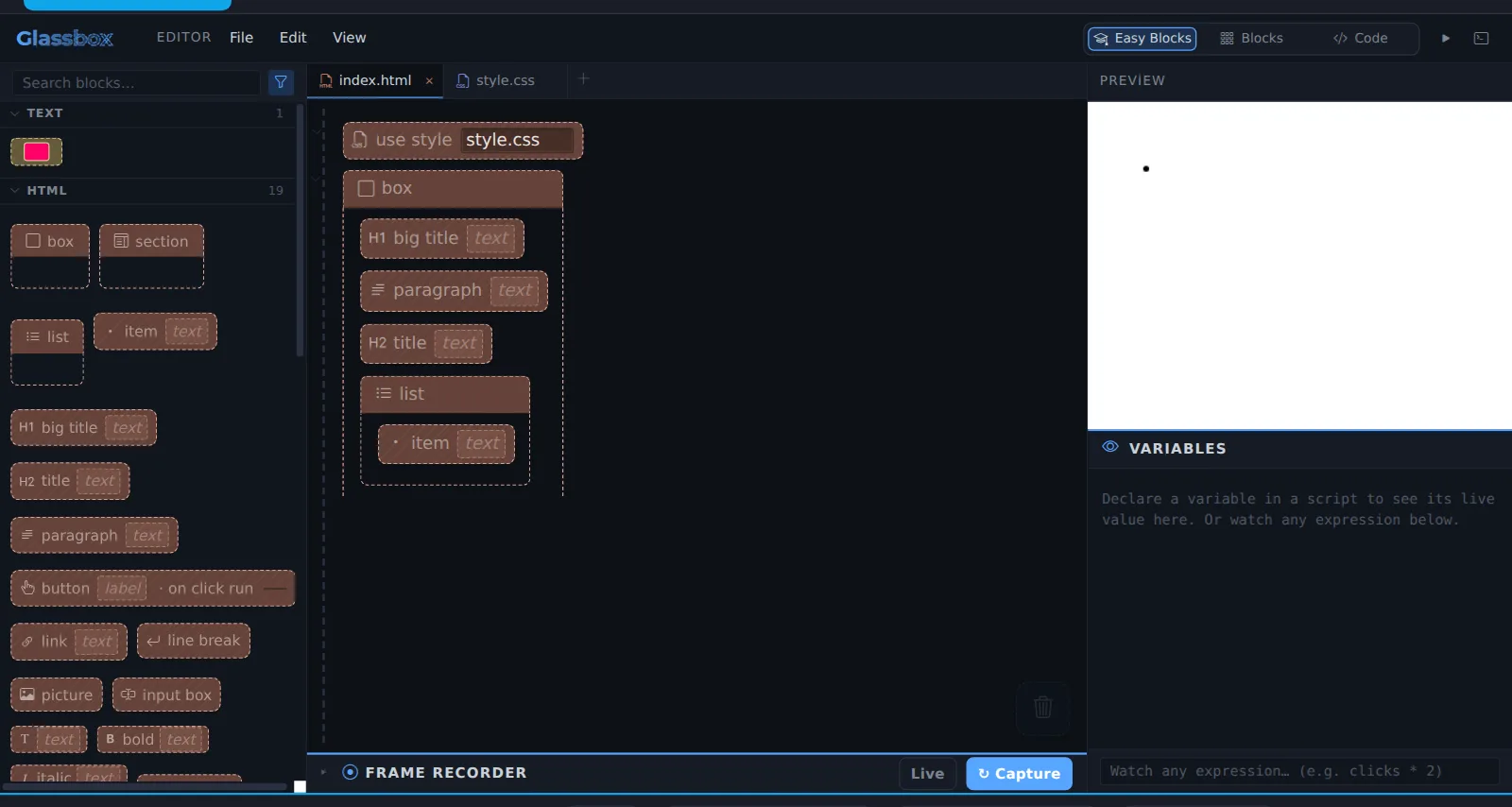
- 4Create must-see contentIn GlassboxNow build it. Your page in Glassbox starts with empty blocks for a big title, a paragraph, a title and a list. Fill them in, add more, and style it with CSS.
- 5Go live, then driveWith othersGoing live means putting your site where people can visit it. Driving traffic means helping the right people find it. Then you listen to them and make it better.
Work on a computer. The apps need a keyboard and a bigger screen than a phone: a laptop, desktop or Chromebook. You can pay here and open the emailed link on the computer.
One learner
Unlock the kit, $5
- All 5 steps, worked on screen, with a lesson you can print if you like paper
- Glassbox activities that check the work as it is done
- A numbered certificate with a page of the learner's own work: your subject plan, your blueprint and your notes
Have a discount code?
Co-ops and classes: unlock it for a group
One payment and one code. Each learner types the code to unlock the kit on their own computer, and gets their own certificate at the end. Your pack page shows who has started and finished.
See a sample certificate (PDF) · Already paid? Find your link