Learning kitGrades 4-5
Computer science: game design
Make a maze game for good
Design a maze game with a message, build it in GameBuilder, test it until it is fun, and share it. Ages 9 to 11 or grades 4 to 5: planning, building, testing and improving, the way game designers work.
- Time
- About 2 hours, in two or three sittings
- Steps
- 5 steps, 2 of them in GameBuilder
- You need
- A computer or Chromebook with a keyboard. Printing is optional: every step works on screen. No account needed.

The 5 steps
- 1Discover how game design can be used "for good"Read and quizMost games are made to be fun. Some are also made to help: to teach something, to get people to care about a problem, or to bring people together.
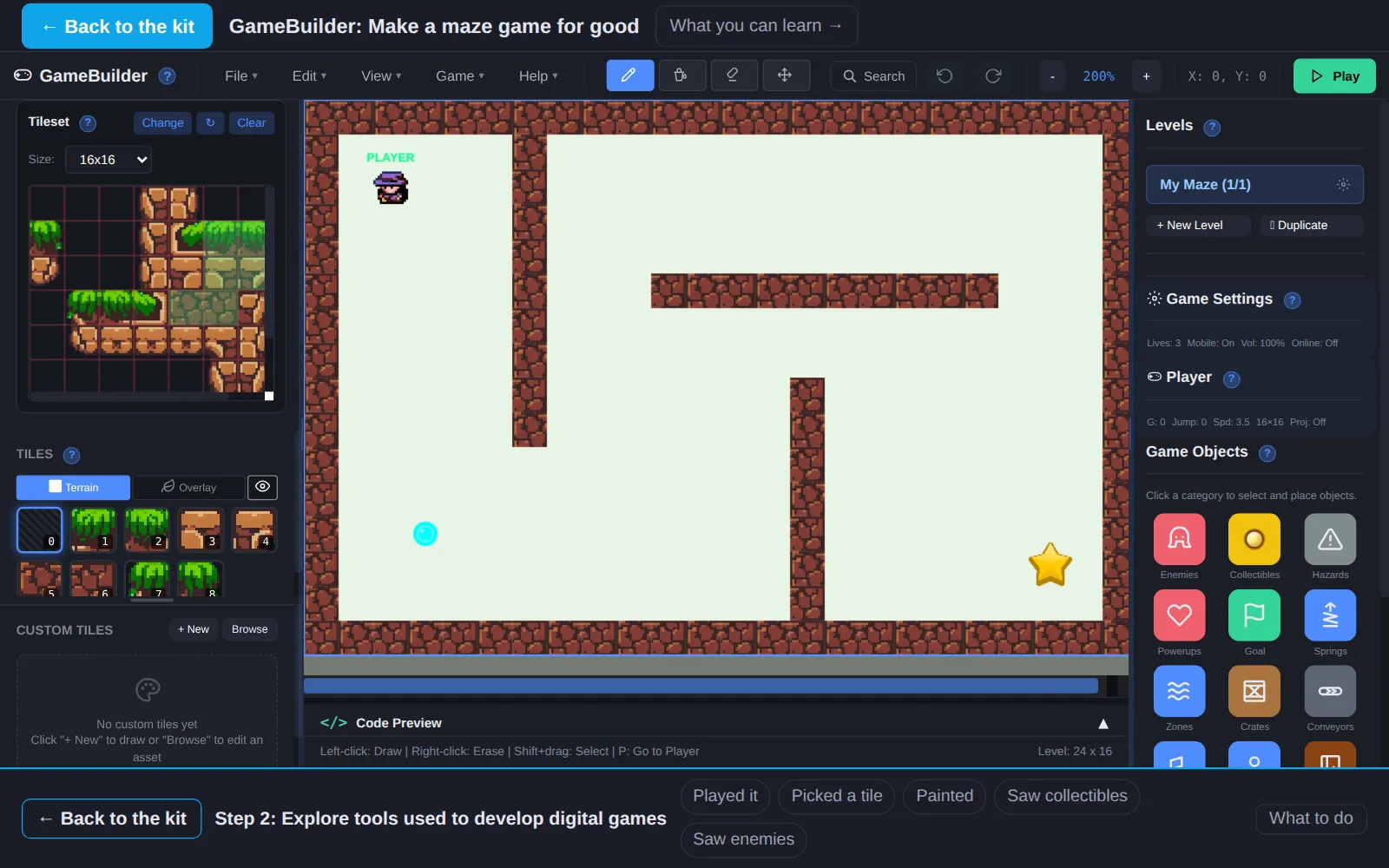
- 2Explore tools used to develop digital gamesIn GameBuilderGame makers use a level editor: a grid where you paint walls and drop in the things the player meets. GameBuilder is one. Open the starter maze and try each tool once.
- 3Plan a maze gamePlan itGood games start with a plan. Draw yours on the grid below, here on screen or on the printout.
- 4Build, test, and improve your maze game using iterationIn GameBuilderIteration means build a little, test it, fix what is wrong, and test again. Real game designers do this dozens of times. Build your plan in GameBuilder.
- 5Share your game with othersWith othersA game is finished when someone else plays it. Let at least two people play your maze, and watch without helping.
Work on a computer. The apps need a keyboard and a bigger screen than a phone: a laptop, desktop or Chromebook. You can pay here and open the emailed link on the computer.
One learner
Unlock the kit, $5
- All 5 steps, worked on screen, with a lesson you can print if you like paper
- GameBuilder activities that check the work as it is done
- A numbered certificate with a page of the learner's own work: your plan, your maze and your notes
Have a discount code?
Co-ops and classes: unlock it for a group
One payment and one code. Each learner types the code to unlock the kit on their own computer, and gets their own certificate at the end. Your pack page shows who has started and finished.
See a sample certificate (PDF) · Already paid? Find your link